
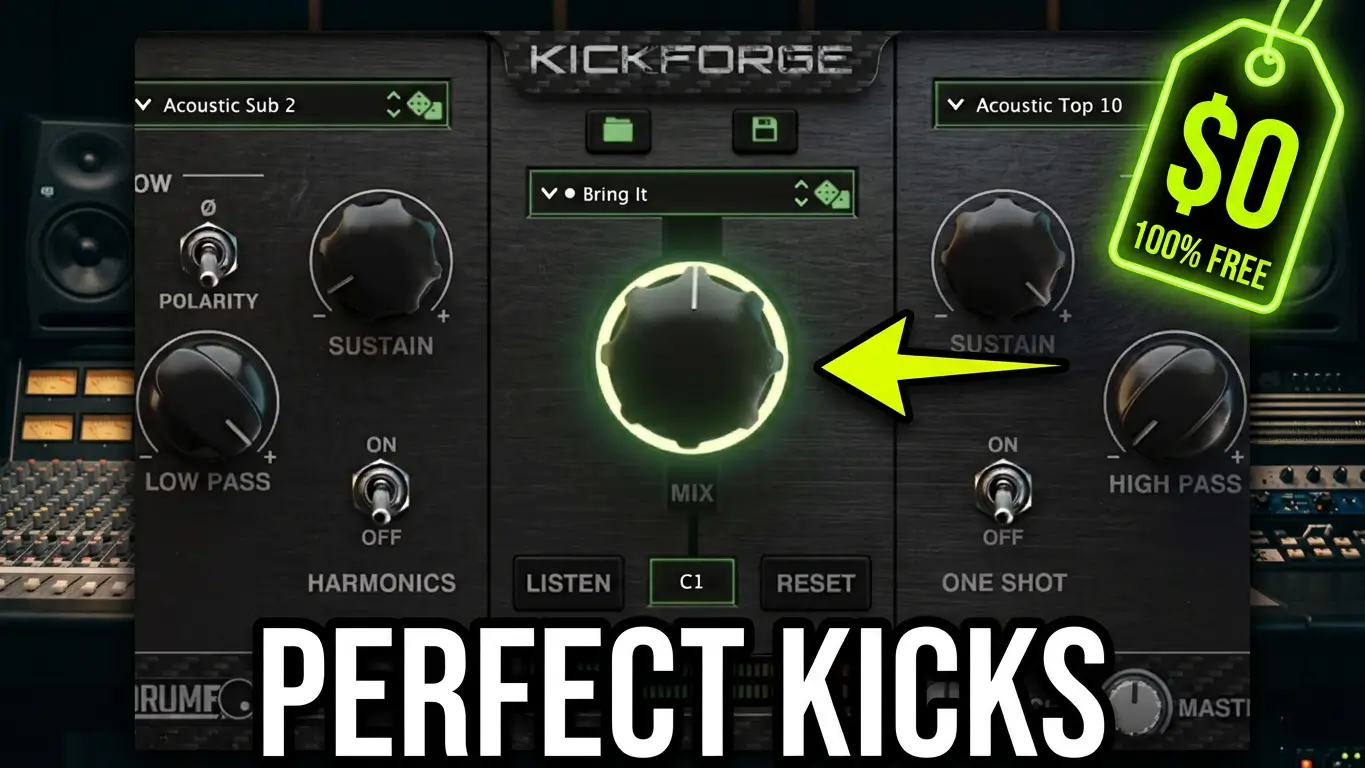
Drumforge Kickforge is a kick drum design plugin that lets you combine sub and top-end kick sounds, shape transients, adjust sustain, and experiment with electronic and acoustic kick samples. I recently discovered that Drumforge was offering Kickforge as a free download, so I grabbed it and made a quick video to show you what it does.
Watch the video below for a first look at Drumforge Kickforge and its kick drum design features.
What Is Drumforge Kickforge?
Kickforge is a kick drum plugin designed to give music producers more control over the sound and character of their kick drums. Instead of relying on a single sample, you can work with separate components, including the low-frequency sub and the upper portion of the kick that provides attack and punch.
This approach is particularly useful when you want to change the low end of a kick without losing the definition of the original sound. It also gives you more flexibility when building kick sounds for different genres.
Kickforge includes electronic and acoustic kick options, making it useful for a variety of music production styles.
Exploring Kickforge’s Main Features
In the video, I take a quick look at the plugin’s interface and some of its main controls.
Blend the Sub and Top End
One of the main features is the ability to blend the sub and top-end portions of a kick. You can adjust their balance to create anything from a deep, low-frequency kick to a more aggressive sound with additional attack and punch.
You can also use the sub layer alongside an existing kick drum in your DAW rather than replacing your original sample.
Built-In Sound-Shaping Tools
Kickforge includes several processing controls for shaping your sound, including:
- Compressor: Adjust the dynamics of the kick.
- Transient processing: Shape the attack and impact.
- Equalizer: Adjust the tonal balance.
- Sub sustain: Change the sustain characteristics of the low-frequency layer.
- Randomization: Experiment with different kick combinations and sound variations.
These controls provide a starting point for creating kick sounds without having to load multiple separate plugins.
Electronic and Acoustic Kick Sounds
The plugin includes options for both electronic and acoustic-style kicks. That makes it worth exploring whether you produce electronic music, rock, metal, pop, or other styles where the kick drum needs a particular balance of low end and attack.
The randomization feature is another option for experimentation, especially when you’re looking for new sounds rather than starting with a specific kick in mind.
Adding Kickforge to an Existing Kick Drum
One of the things I demonstrate in the video is blending Kickforge’s sub layer with another kick drum.
I play the original kick first, then switch on the additional sub layer to compare the difference. This illustrates how you can use Kickforge to reinforce the low end of an existing sound instead of rebuilding your entire kick drum from scratch.
It’s a simple technique, but it can be useful when a kick has the right attack but needs more weight in the lower frequencies.
Get Drumforge Kickforge Free
The reason I’m sharing this plugin now is simple: limited-time free offers don’t always last. I’ve previously made videos about free products only to find that the promotion had ended by the time the video was published.
I had just discovered and downloaded Kickforge when I recorded this video, so this is a quick first look rather than a comprehensive review. There are more controls and possibilities to explore than I cover here.
You can check the official Drumforge promotion and see whether the free offer is still available here:
The promotion’s expiration date wasn’t clear when I recorded the video, so check the official page for the current terms and download instructions.
If you’re looking for another way to design kick drum sounds, experiment with sub frequencies, or add more control to your music production workflow, Kickforge is worth checking out while the offer lasts.

Leave a Reply