
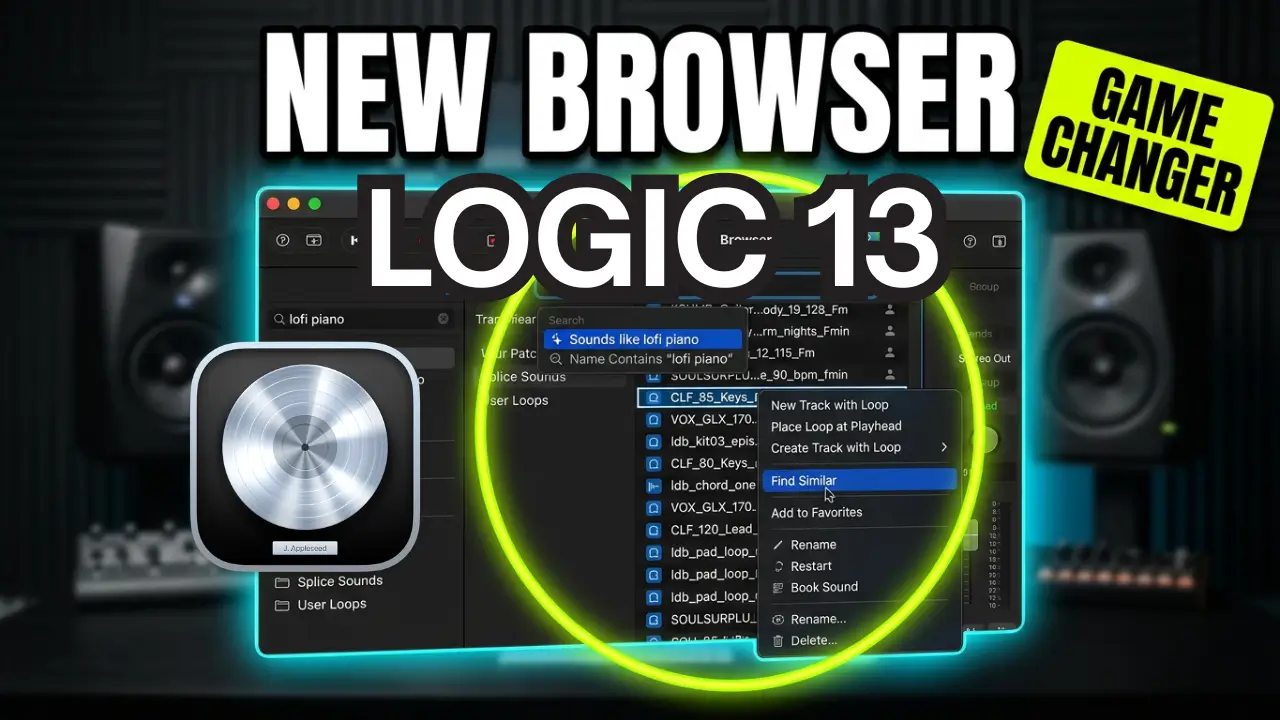
Apple has redesigned the browser in Logic Pro 13, introducing new ways to search for instruments, audition sounds, browse loops, find samples, and preview effects. The updated browser also brings some interesting changes to how third-party samples, including Splice sounds, are integrated into your workflow.
In this video, I’m taking a closer look at the new Logic Pro browser and exploring some of the features that make finding and working with sounds easier.
A Faster Way to Browse Instruments
One of the first things you’ll notice is how quickly you can browse and change instrument patches. You can preview sounds directly in the browser before loading them, and holding down the Option key gives you another way to audition patches without actually loading the instrument.
You can replace an existing patch, move to the next patch, or create an entirely new track using the selected instrument. The process is surprisingly quick, making it easier to experiment with different sounds without interrupting your workflow.
The search feature is another interesting addition. Instead of simply searching for a specific instrument name, you can describe the sound you’re looking for. For example, searching for a low-fi piano brings up sounds that fit that description.
Finding Loops and One-Shot Samples
The updated browser also makes it easier to search through loops and one-shot samples.
You can search for something specific, such as a kick drum or snare, or use descriptions like “sounds like a snare” to find suitable samples.
When you find something you like, you can preview it and choose how to use it. You can place a one-shot directly at the playhead, create a new audio track, or send samples to Quick Sampler, Sample Alchemy, or Drum Machine Designer.
You can even select multiple samples and create a sampler instrument or build a complete drum kit using Drum Machine Designer.
Splice Sample Integration
One interesting thing I noticed is that Logic Pro automatically detected Splice samples already stored on my computer and added them to the browser.
Even though I don’t currently have an active Splice account, the samples that were already downloaded were available.
These samples can be searched, auditioned, and used much like Apple Loops. Logic also handles key information and time stretching, making it easier to work with samples that need to fit a particular song.
You can also search by musical key. For example, searching for F minor brings up samples that match that key. The Find Similar option provides another way to discover related sounds.
Auditioning Effects Before Applying Them
The effects browser is another useful part of the redesign.
You can browse different effects, preview them before adding them to a track, and search for specific processing options. For example, you can search for vocal effects and audition different reverbs, compressors, delays, and other effects.
This makes it easier to experiment with processing without having to load multiple plugins and presets just to find something that works.
You can also browse your personal collections and third-party presets. One limitation I noticed is that some third-party presets load quickly but don’t appear to offer the same auditioning functionality as the built-in Logic presets.
The New Sound Library and Browser Tags
Logic Pro’s Sound Library provides access to downloadable content, including sample packs, Apple Loops, Drum Kit Designer patches, and Live Loops grids.
You can preview available content, download new packs, delete installed content, and manage your sound library.
The updated tagging system also provides additional ways to filter results. You can browse by instruments, sound types, genres, and other characteristics.
There are also different categories for audio loops, MIDI loops, Session Player loops, Pattern Loops, and Alchemy instruments.
The loop browser is a little different from previous versions, so it may take some time to get familiar with where everything is located.
Final Thoughts on the Logic Pro 13 Browser
Overall, the redesigned browser introduces some useful improvements to Logic Pro’s workflow.
The ability to search for sounds based on descriptions, quickly change instrument patches, audition effects, and access Splice samples from within the browser are all interesting additions.
I’m still getting familiar with the new layout, and there are a few things I’m curious to see how Apple develops further.
What do you think of the new Logic Pro 13 browser? Is this an improvement over the previous version?
Leave a Reply