
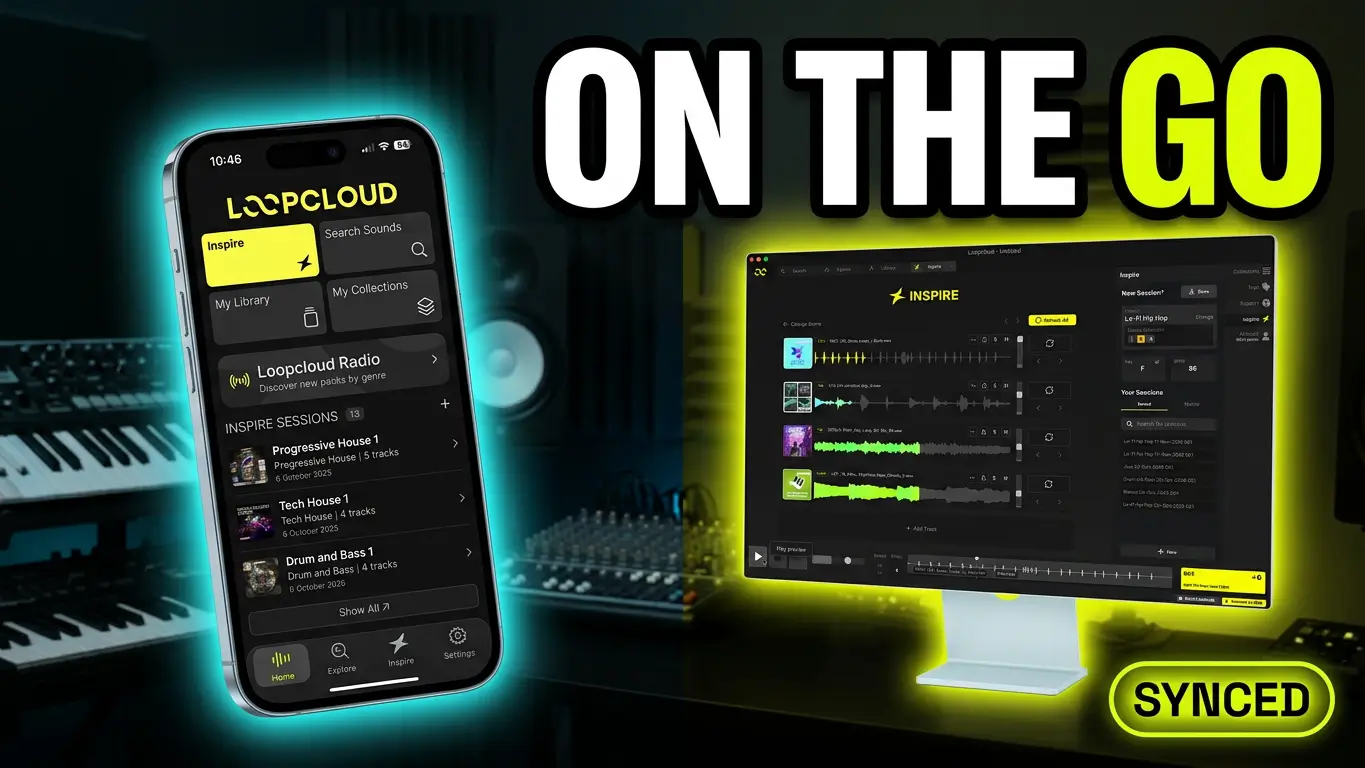
Loopcloud is no longer limited to your desktop. With the Loopcloud mobile app for iOS and Android, you can browse sounds, discover samples, save ideas, and synchronize your Inspire sessions so they’re ready when you return to your studio.
The mobile app is designed to make it easier to keep collecting sounds and inspiration even when you’re away from your computer.
Browse the Loopcloud Sound Catalogue on Your Phone
The Loopcloud mobile app gives you access to the full Loopcloud sound catalogue directly from your phone. You can browse samples, discover new sounds, and save anything that catches your attention to your library.
Whether you’re commuting, taking a break, or simply away from your studio, you don’t have to wait until you’re sitting in front of your computer to start collecting sounds for your next project.
Anything you save through the mobile app will be available in your Loopcloud library when you return to your desktop.
Inspire Sessions Sync Between Mobile and Desktop
Another useful feature is automatic synchronization of your Inspire sessions.
You can review your Inspire sessions on your phone and then open those same sessions in the desktop version of Loopcloud. This makes it easier to capture ideas while you’re away and pick up where you left off when you’re back at your computer.
Instead of relying on memory or trying to remember which sounds caught your attention, you can keep everything organized within your Loopcloud library.
Is the Loopcloud Mobile App a Replacement for Desktop?
Not quite. It’s important to understand what the mobile app is designed to do.
Loopcloud Mobile is primarily a sound discovery and synchronization companion. It doesn’t include the full desktop production experience.
Features such as DAW integration, Studio editing, and plugin access are still part of the desktop version of Loopcloud.
Think of the mobile app as an extension of your existing workflow rather than a standalone music production environment.
A Quick Look at Loopcloud 8
The mobile app is only one part of the broader Loopcloud ecosystem.
Loopcloud 8 also includes some interesting features for discovering sounds. One example is its ability to listen to existing audio and find matching sounds from its sample catalogue.
With millions of sounds available, this opens up additional ways to discover samples that fit an existing musical idea or recording.
I covered more of those features in my separate Loopcloud 8 video.
Final Thoughts
The Loopcloud mobile app isn’t designed to replace your desktop setup, and it doesn’t need to.
Its main purpose is to make sound discovery more convenient. You can browse samples, save sounds, and review Inspire sessions wherever you are, then continue working with everything when you get back to your DAW.
If you’re already using Loopcloud, having access to your sound library from your phone is a useful addition to the workflow.
Are you using Loopcloud? Let me know what you think about a mobile companion for browsing and discovering samples.
This post contains affiliate links. If you make a purchase through these links, I may earn a commission at no additional cost to you. Thanks for supporting the blog!
Leave a Reply