
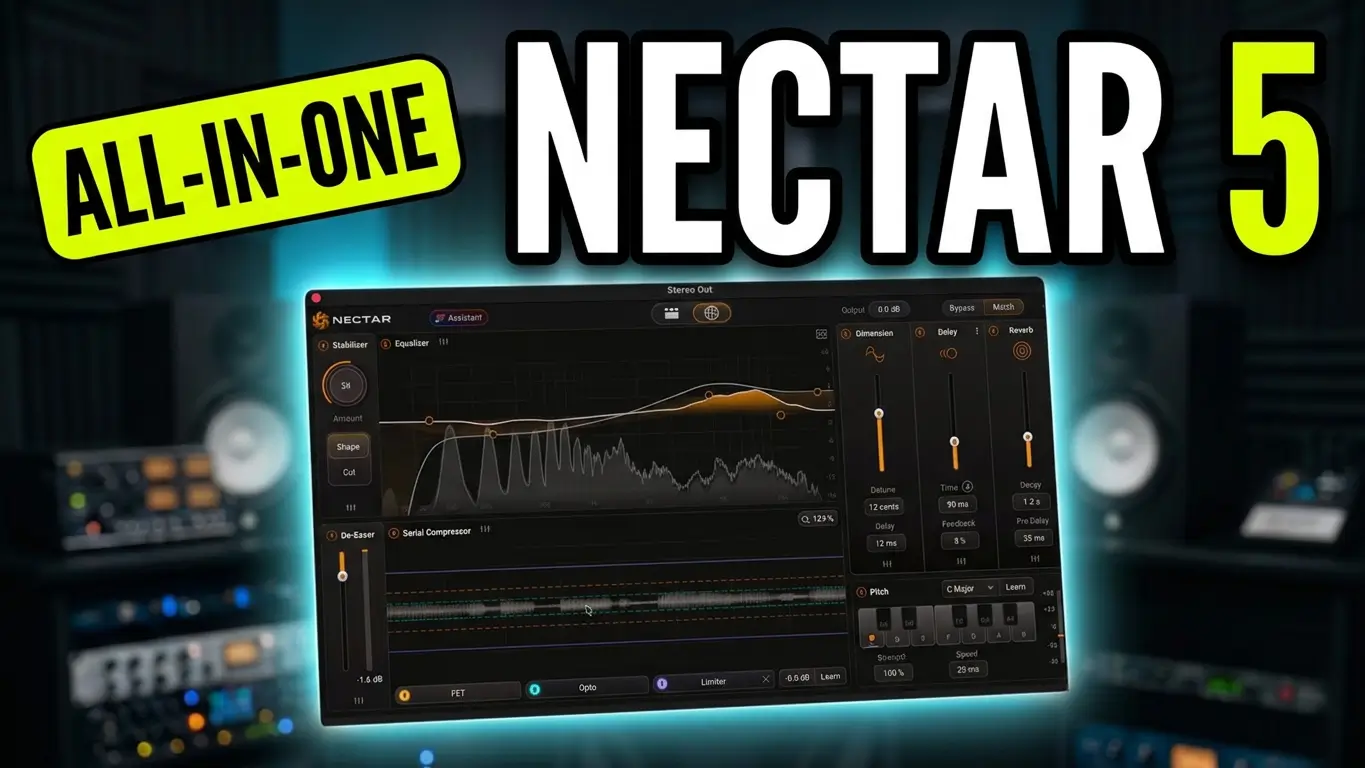
iZotope Nectar 5 introduces several new features designed to make vocal mixing and creative vocal processing more flexible. The latest version adds serial compression, an improved Vocal Stabilizer, Micro Pitch Shift, updated delay and reverb controls, and a particularly interesting new addition called Moments.
In this video, I take a hands-on look at the new features and demonstrate how they work using vocal recordings from my own original songs.
Serial Compression: More Control Over Vocal Dynamics
One of the biggest additions to Nectar 5 is the new Serial Compressor.
Instead of relying on a single compressor to handle all the dynamics, you can stack multiple compressors together. Nectar provides four different compressor types, along with a limiter and clipper at the end of the processing chain.
This approach is commonly used in professional studios because distributing compression across multiple stages can provide more controlled dynamics without forcing one compressor to do all the work.
You can adjust the individual compression stages, makeup gain, and other parameters to shape the sound.
Another interesting detail is that serial compression isn’t limited to vocals. The technique can also be useful on drums, bass, individual instruments, and buses.
Vocal Stabilizer: Shape and Cut Modes
Nectar 5 also introduces an updated Vocal Stabilizer with more control over frequency adjustments.
The Vocal Stabilizer includes different settings for high and low vocal ranges, along with two processing approaches:
- Cut: Reduces unwanted resonant frequencies.
- Shape: Adjusts the tonal balance of the vocal.
You can customize the amount of processing, smoothing, and response speed, as well as adjust individual frequency bands or disable them entirely.
These controls provide another way to manage vocal resonances and maintain a more consistent sound.
Micro Pitch Shift and Updated Vocal Effects
The Dimension module now includes Micro Pitch Shift, which can help spread vocals across the stereo field.
The delay and reverb modules also receive updated wet and dry controls. Another useful addition is ducking, which automatically reduces the level of delay or reverb when the lead vocal comes through.
This helps keep vocal effects from competing with the main performance while allowing the effects to become more noticeable between vocal phrases.
Nectar 5 also includes an updated Overview page, providing quick access to important processing controls, including EQ, compression, de-essing, pitch correction, and the Vocal Stabilizer.
Moments: Apply Effects to Individual Words
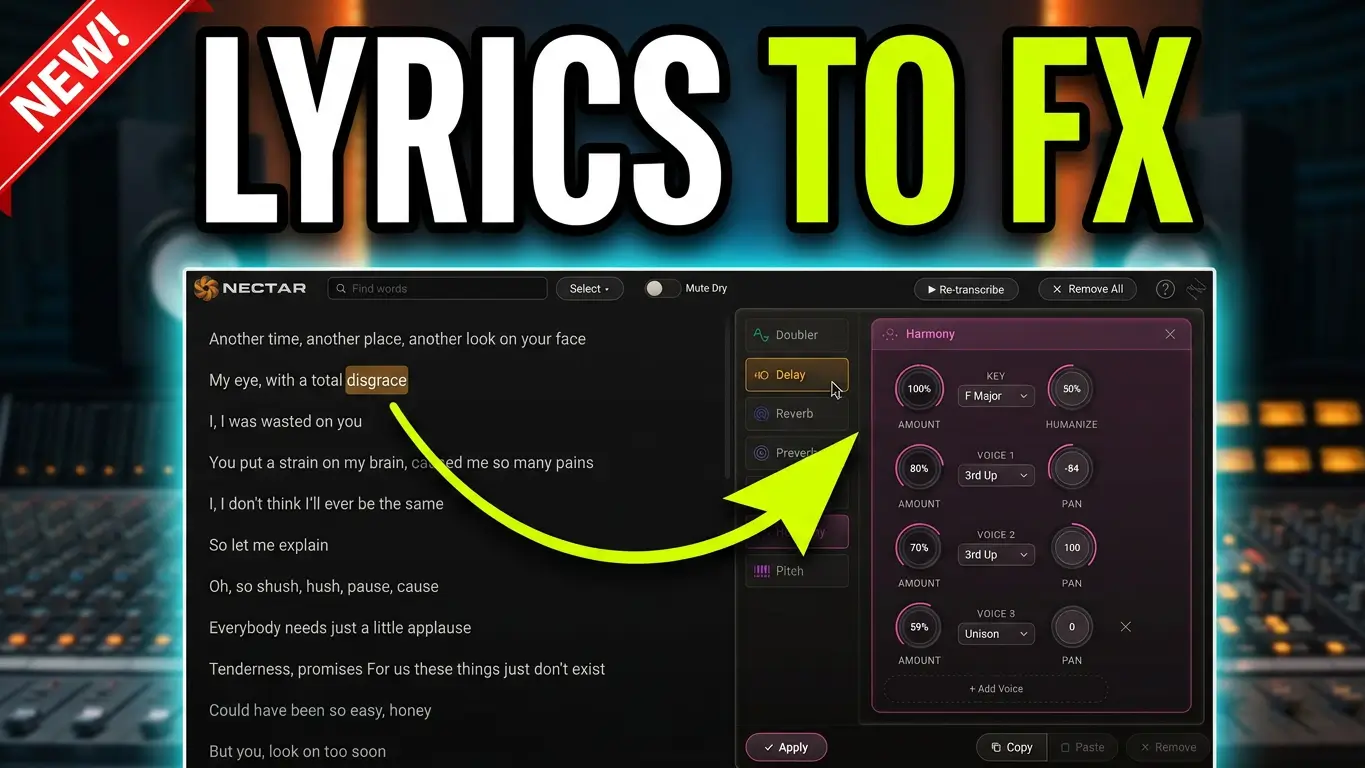
The most interesting addition in Nectar 5 is Moments, a separate ARA plugin that takes a different approach to vocal effects.
Moments transcribes your lyrics and allows you to select individual words or sections of a vocal performance. You can then apply effects directly to those selections without manually creating automation for every word.
Available effects include:
- Doubler
- Delay
- Reverb
- Reverse reverb
- Pre-delay
- Distortion
- Harmony
- Pitch processing
You can combine multiple effects on the same word, adjust their settings, and create layered vocal effects.
The harmony feature allows you to create up to five voices, with individual panning adjustments. You can also mute the original vocal and work with just the processed effects, making it possible to bounce those effects to a separate track.
Moments supports different languages, and you can search through longer lyric transcriptions to find specific words or sections.
This opens up some interesting creative possibilities for vocal production, particularly when you want to emphasize certain words or create unusual vocal effects without manually building complicated automation.
Vocal Assistant and Automatic Processing
Nectar 5 also includes Vocal Assistant, which can automatically analyze a vocal recording and create a starting processing chain.
You can choose between a one-click setup or a Custom Flow that lets you select the processing modules and other settings you want to use.
The automatic setup can configure EQ, de-essing, serial compression, Vocal Stabilizer, Dimension, delay, and reverb.
Once the initial processing chain is created, you can adjust individual modules, disable effects, or move delay and reverb to separate sends if that better suits your mixing workflow.
There’s also key detection, pitch correction, and harmonizer functionality for additional vocal processing options.
Final Thoughts on iZotope Nectar 5
Nectar 5 adds several useful improvements to an already established vocal processing plugin.
The serial compression feature provides additional control over dynamics, the Vocal Stabilizer offers more detailed frequency management, and the updated Dimension and effects modules expand the available processing options.
However, Moments is probably the feature that interests me most. Being able to transcribe lyrics and apply multiple effects to individual words creates some interesting possibilities that go beyond traditional vocal mixing.
It’s also worth remembering that serial compression can be useful on more than just vocals. The ability to combine multiple compressors and a limiter could make this feature useful throughout a mixing session.
Overall, Nectar 5 offers a combination of practical mixing tools and creative processing features worth exploring.
The links to iZotope are affiliate links, meaning I may earn a small commission if you purchase through them. This helps support the channel at no extra cost to you. I only recommend products I personally use or believe bring real value to producers and songwriters.
Leave a Reply