
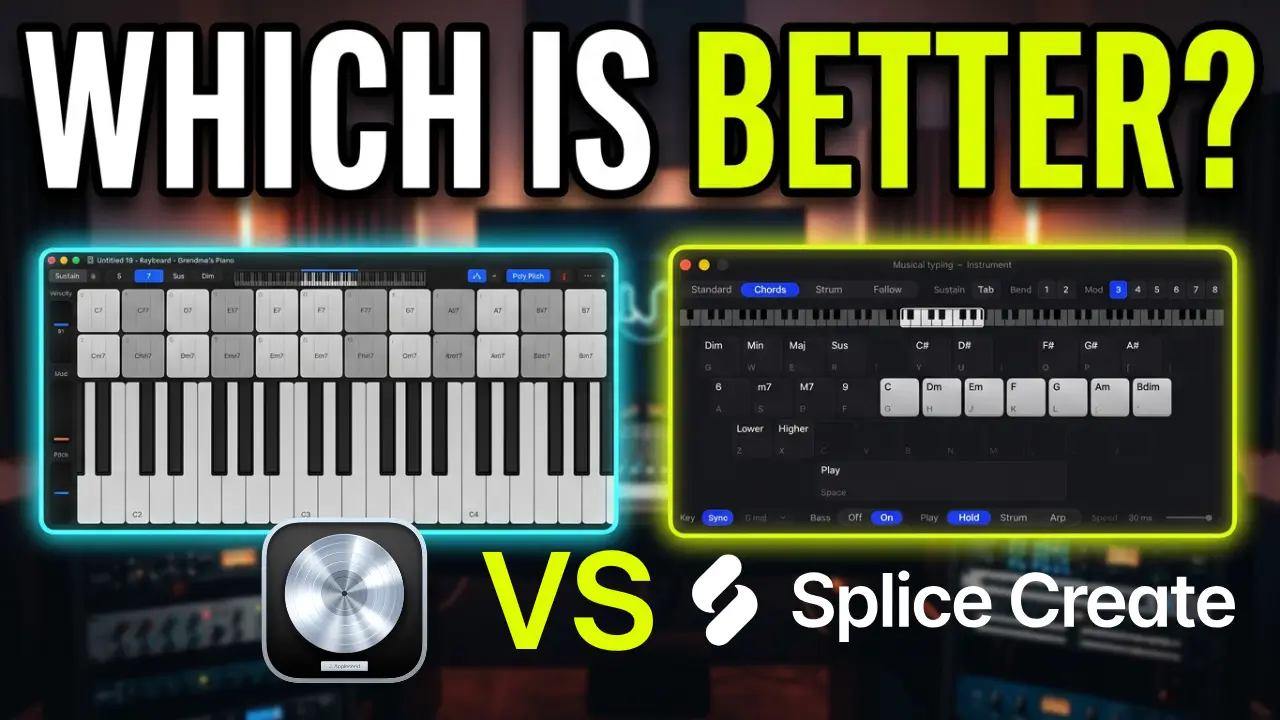
Apple introduced some interesting new features to the Musical Typing Keyboard in Logic Pro 13, including the ability to play chords, use an arpeggiator, and record MIDI performances directly into your project. But after trying it out, I wanted to compare it with something that’s already available in Splice: its Musical Keyboard.
Both tools offer interesting ways to create chord progressions, melodies, and MIDI performances without having to manually draw everything into the piano roll. However, there are some noticeable differences in how they work.
Watch the Logic Pro 13 vs Splice Comparison
The New Musical Typing Keyboard in Logic Pro 13
The updated Musical Typing Keyboard in Logic Pro 13 includes several new features for creating musical ideas.
You can now play chords directly from your computer keyboard, switch between different chord types, and activate an arpeggiator with different patterns. You can also adjust pitch and sustain and record your performances directly as MIDI.
One particularly useful feature is that activating the arpeggiator automatically creates a MIDI instrument recording workflow inside Logic. You can play a pattern, record it, and then edit the resulting MIDI notes in the piano roll.
It’s a nice addition, especially if you want to experiment with chord progressions without manually entering every note.
However, some of the controls aren’t particularly intuitive. For example, changing chord types requires clicking through different options, and I would like to see a simpler way to select a musical key or scale and work within it.
Splice Musical Keyboard: A More Streamlined Approach
The Splice Musical Keyboard takes a slightly different approach.
You can access it directly from the Splice toolbar, and most of the important controls are organized on one screen.
It includes several options for creating musical ideas:
- Standard chord playing
- Strummed chord patterns
- Arpeggiator controls
- Different chord types, including seventh and sustained chords
- Musical key and mode selection
- Bass note controls
- Octave adjustments
- Melody creation
One thing I particularly like is how quickly you can switch between these options.
You can change the key of your song, select different chord types, turn bass notes on or off, and experiment with strumming and arpeggiator patterns without navigating through multiple menus.
You can also record your performances as MIDI and continue editing the notes inside your DAW.
What Does the Splice Follow Feature Do?
One feature I hadn’t really explored before recording this video was Follow.
It appears to identify the chords in a progression and display the notes associated with those chords. This gives you a way to follow along with an existing progression and experiment with playing melodies over it.
You can also work with chord changes and use the keyboard to explore musical ideas.
I’m still getting familiar with everything Splice offers here, but it’s an interesting addition to the musical keyboard.
Logic Pro 13 vs Splice: Which Workflow Makes More Sense?
There are things I like about both implementations.
Logic Pro 13 has some useful additions, particularly the ability to work with its drum pads and play drum kit sounds using your computer keyboard. There’s more functionality available than just playing chords.
However, I really like how Splice organizes its musical keyboard. Having chord selection, strumming, arpeggiation, and other controls together on one screen makes it much easier to experiment quickly.
I would like to see Apple take a similar approach in Logic Pro. Being able to select a scale, choose a chord type, and quickly experiment with different progressions without jumping between controls would make the feature much more useful.
Another Option: Morning DAW
Morning DAW is another interesting option worth mentioning. It includes a chord progression creation feature, and it’s a free DAW for anyone interested in experimenting with different ways to build musical ideas.
Final Thoughts
Both Logic Pro 13 and Splice offer useful tools for creating chords, melodies, and MIDI performances.
Logic’s new Musical Typing Keyboard is a welcome addition, but Splice currently has a workflow that I find more convenient for quickly experimenting with musical ideas.
Sometimes the simplest interface is the one that gets out of your way and lets you concentrate on making music.

Leave a Reply