
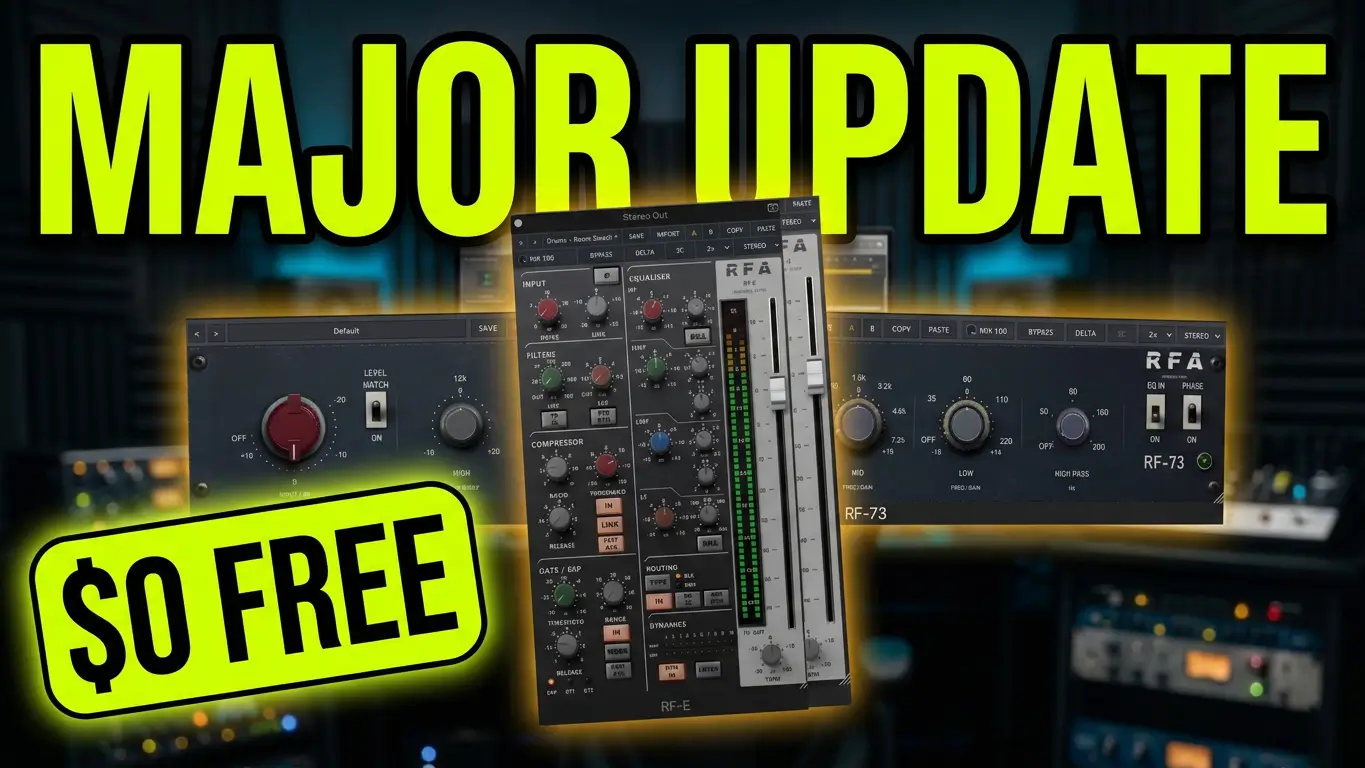
The Relic 0.4.3 update brings new features, redesigned interfaces, improved performance, and bug fixes to a collection of 13 free audio plugins for music production. The update includes new mid-side processing options, improved saturation controls, Auto Gain features, smoother plugin meters, and installer improvements.
If you’re looking for free audio plugins for your digital audio workstation (DAW), Relic 0.4.3 is worth checking out. Here’s a closer look at what’s new in the update and what music producers should know before installing it.
Watch: Relic 0.4.3 Free Plugin Update
In this video, I cover the main changes in Relic 0.4.3, including the redesigned RF-E, new mid-side processing options, updates to the RF-73, RF-2A, RF-76, and RF-1B, and several performance and installation fixes. This is an update overview rather than a hands-on plugin demonstration.
What’s New in Relic 0.4.3?
Relic 0.4.3 introduces improvements across its collection of 13 free audio plugins. Some changes affect individual plugins, while others introduce new functionality across most of the collection.
RF-E Gets a Redesigned Channel Strip and Drive Control
The RF-E has been redesigned with a vertical channel strip layout and a sharper interface. Its gain reduction indicators now illuminate in one-decibel increments, from 1 dB to 10 dB.
The new DRIVE knob adds another level of control, ranging from subtle warmth to heavier saturation and compression. The output level stays approximately the same as the drive is adjusted, and setting DRIVE to zero preserves the original RF-E behavior.
Mid-Side Processing Comes to 12 Plugins
One of the biggest changes in Relic 0.4.3 is the addition of mid-side processing options to 12 of the 13 plugins.
Users can select Stereo, Mid, Side, or M/S directly from the toolbar. The RF-67 already includes its own mid-side switch, so it retains its existing control.
Mid-side processing can be useful when working with stereo audio, allowing producers to process the center and sides of a stereo signal separately, depending on the plugin and selected mode.
RF-73 Gets More Harmonics and Level Matching
The RF-73 receives an updated Input control that generates more harmonics, giving users additional coloration options.
A new LEVEL MATCH switch allows the Input control to add coloration without increasing the output level. The Input range now stops at +10 and no longer creeps toward OFF.
Important for existing projects: Sessions using the RF-73 with its Input turned up may produce more coloration after updating. If you’re revisiting older mixes, check your existing settings and listen for changes.
RF-2A Adds Auto Gain
The RF-2A now includes Auto Gain, enabled by default. This is one of the functional improvements included in the latest update.
RF-76 and RF-1B Receive Interface Updates
The RF-76 has a refreshed interface in both its black and blue versions. Its Input and Output numbering now follows the original hardware’s numbering, and the Auto Gain control has been simplified.
The RF-1B also receives a redesigned panel with new knobs, updating its appearance as part of the Relic 0.4.3 release.
Relic 0.4.3 Fixes and Performance Improvements
Alongside the new features and interface changes, Relic 0.4.3 addresses several usability and performance issues.
- Smoother plugin meters: The meters on the RF-76, RF-2A, and RF-1B are smooth again and use less CPU.
- Bitwig preset menu fix: The issue causing the preset menu to repeatedly expand and contract has been addressed.
- Fine parameter adjustments: Holding Control or Shift while scrolling with the mouse wheel restores fine parameter adjustments.
- Improved VST3 installation: The installer now supports VST3 folders linked to another drive.
These fixes are particularly relevant for producers who use the plugins regularly and want more reliable operation in their existing DAW setups.
Are the Relic Plugins Still Free?
Yes. All 13 Relic plugins remain free, and the developer says they will continue to be free.
For music producers building a collection of audio tools without spending money on additional software, this update adds more functionality without introducing a purchase requirement.
If you already use Relic plugins, the new version brings several worthwhile improvements. If you’re discovering the collection for the first time, Relic 0.4.3 offers a range of free audio processing tools with updated interfaces and expanded features.
Final Thoughts on Relic 0.4.3
Relic 0.4.3 focuses on practical improvements rather than simply changing the appearance of its plugins. Mid-side processing across 12 units, the RF-E DRIVE control, RF-73 level matching, Auto Gain on the RF-2A, and smoother meters are among the most notable changes.
The update also addresses installation and usability issues that can affect everyday music production workflows.
I have been testing the Relic plugins myself, and I may put together dedicated demonstrations in the future. For now, this update overview covers the main changes to know about.
Have you tried the Relic plugins? Let me know which ones you’re using and what you think of the 0.4.3 update.
All 13 plugins are free, so it’s an update worth investigating if you’re looking to expand your music production toolkit without adding to your software budget.
The Relic plugins are from RiverFlux Audio. You can find the collection here:
RiverFlux Audio — Relic Free Plugins
The collection includes 13 free audio plugins, including compressors, EQs, tape emulations, and the RF-E channel strip. All 13 are free to download

Leave a Reply