
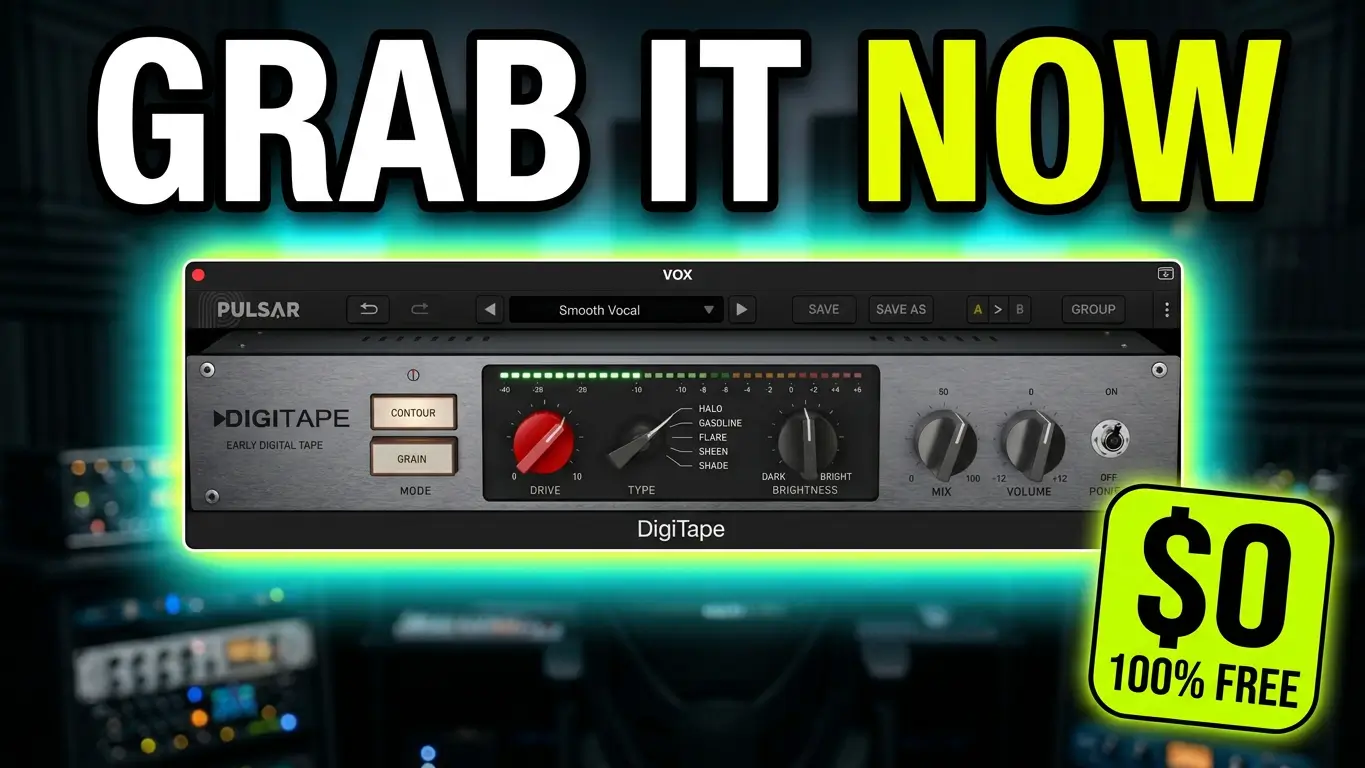
Looking for a free tape saturation plugin for your DAW? Pulsar Audio DigiTape is a free audio plugin designed to add early digital tape character, saturation, and harmonic texture to your tracks. With two distinct processing modes, Contour and Grain, DigiTape offers music producers a way to experiment with smoother transients, added grit, and tonal shaping without spending money on another plugin.
Watch the DigiTape Plugin Demo
In this video, I take a closer look at Pulsar Audio DigiTape, explore its main features, and test it on vocals and drums. You’ll hear comparisons between the bypassed and processed signals and get a practical idea of how this free saturation plugin can affect your sound.
What Is Pulsar Audio DigiTape?
DigiTape is a free tape saturation plugin from Pulsar Audio. It’s designed to give audio a distinctive early digital tape character, with processing options for shaping frequency response, rounding transients, and generating additional harmonics.
Rather than offering just one saturation flavor, DigiTape features two modes: Contour and Grain. Each mode takes a different approach to shaping the sound, giving you options for everything from smoother, more controlled audio to more aggressive texture and grit.
For producers who enjoy experimenting with saturation, DigiTape is worth exploring as a free addition to their plugin collection.
DigiTape Features: Contour and Grain
Contour Mode: Smoother High Frequencies and Transients
Contour focuses on compressing high frequencies and rounding off transients. This approach can help produce a smoother, more controlled sound, depending on the source material and settings.
Contour also includes five different Types, giving you several tonal variations to explore. The available Drive, Brightness, and Mix controls let you adjust the amount of processing and shape the resulting character.
These controls provide flexibility when working with vocals, drums, and other audio sources that could benefit from a different tonal balance or a less pronounced transient response.
Grain Mode: Add Harmonics, Bite, and Grit
Grain takes a different approach by saturating the low and mid frequencies to generate additional harmonics. The result can add more bite, texture, and grit to a sound.
Drive and Brightness allow you to adjust the intensity and tonal character of the effect. Depending on the source and settings, Grain can be useful when you want a sound to feel rougher or more pronounced.
The two modes give DigiTape different ways to color audio, making it possible to experiment with contrasting saturation characteristics within the same plugin.
Testing DigiTape on Vocals and Drums
A feature list only tells you so much. The interesting part is hearing how a plugin behaves on actual audio.
In my demonstration, I first test DigiTape on a vocal, comparing the bypassed signal with the processed version. I also use an excerpt from one of my original songs to hear the effect in a musical context.
Next, I move on to drums and compare the sound with DigiTape bypassed and enabled. This gives you an opportunity to hear how the plugin changes the character of the percussion.
These demonstrations provide a starting point for deciding whether DigiTape’s particular saturation style fits your own production workflow.
Is DigiTape Really Free?
Yes. Pulsar Audio offers DigiTape with a free perpetual license. According to the signup information discussed in the video, you don’t need a credit card to register.
You will need to complete a human verification step during signup, but there is no purchase required to obtain the free license.
DigiTape is also described as lightweight on CPU resources, which is useful if you prefer to keep your sessions efficient when working with multiple plugins.
For the latest information about compatibility, installation, and licensing, visit the official product page.
Get DigiTape from Pulsar Audio: https://pulsar.audio/digitape/
Final Thoughts: Is This Free Saturation Plugin Worth Trying?
Pulsar Audio DigiTape offers two different approaches to saturation in one free plugin. Contour focuses on high-frequency compression and smoother transients, while Grain generates additional harmonics in the low and mid frequencies for added bite and texture.
The Drive, Brightness, and Mix controls provide additional ways to shape the effect, and the five Contour Types offer more tonal options to explore.
If you’re looking for a free tape saturation plugin to experiment with on vocals, drums, or other audio sources, DigiTape is worth checking out. Watch the demonstration above to hear how it performs and decide whether its sound belongs in your music production toolkit.
Leave a Reply