
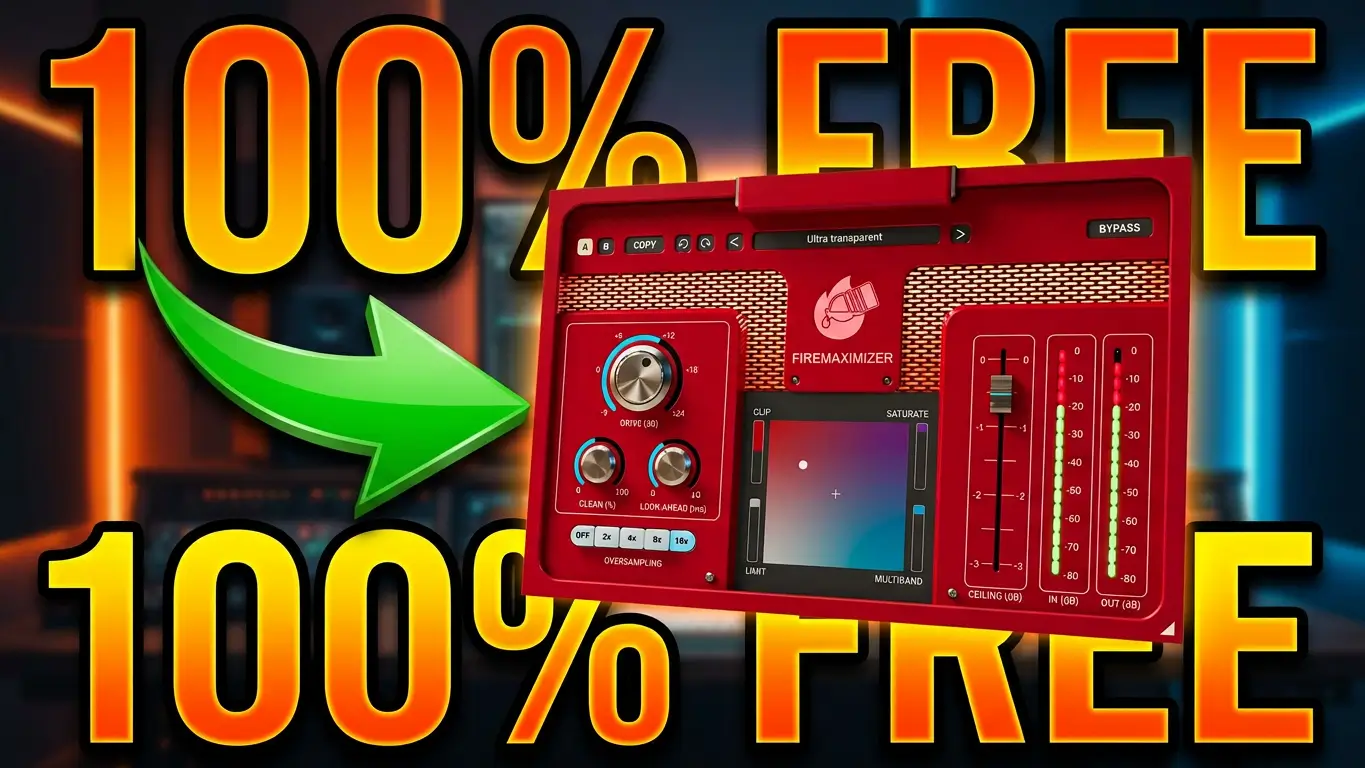
If you need more loudness without completely changing the character of your mix, FireMaximizer from UnitedPlugins is worth checking out. The plugin is currently available free for a limited time until October 18, 2026, and it gives you several different ways to control how your audio is maximized.
In this short video, I give you a quick look at FireMaximizer and then let the sound demo do most of the talking. The demo uses my own songs while I experiment with the different modes, the XY pad, and the various controls.
Four Ways to Maximize Your Audio
FireMaximizer has four main processing modes: Clip, Saturation, Multiband, and Limit.
The interesting part is that you’re not locked into using just one of them. The XY pad lets you blend between the different modes, giving you control over the character of the maximization.
Clipping can give you a more aggressive sound, while saturation can add additional harmonic character. Traditional limiting provides a more familiar approach to controlling peaks, while multiband limiting processes different parts of the frequency spectrum independently.
That makes the XY pad one of the more interesting parts of the plugin because you can experiment with different combinations rather than simply choosing a single processing mode.
The FireMaximizer Controls
Drive controls the input level going into the processor. Increasing Drive pushes the signal harder, which can give you more loudness but can also introduce additional distortion.
Ceiling controls the maximum output level.
Clean can reduce some of the distortion produced by the limiter and multiband modes.
Look-ahead helps the processor catch quick peaks and can reduce distortion, although it introduces some latency.
Oversampling increases the internal processing resolution and helps reduce aliasing when you’re pushing the plugin harder.
More Than Just A Mastering Plugin
FireMaximizer is primarily intended for use on the master track, but you don’t have to limit it to mastering.
You can also experiment with it on drums, guitars, acoustic guitars, and vocals. The right settings will depend on the instrument and the sound you’re trying to create, so the ability to blend between the different processing modes gives you plenty of room to experiment.
In my video, I’m using my own songs for the sound examples, so you can hear the processing in an actual musical context rather than just on a test tone.
Try FireMaximizer
FireMaximizer is free for a limited time until October 18, 2026. There’s also a coupon code associated with the offer.
FREE with code: SiyuFMX100
until October 18, 2026
If you’re interested in trying a loudness maximizer that lets you experiment with clipping, saturation, limiting, and multiband processing in one plugin, this is a good time to give FireMaximizer a listen.
Leave a Reply