
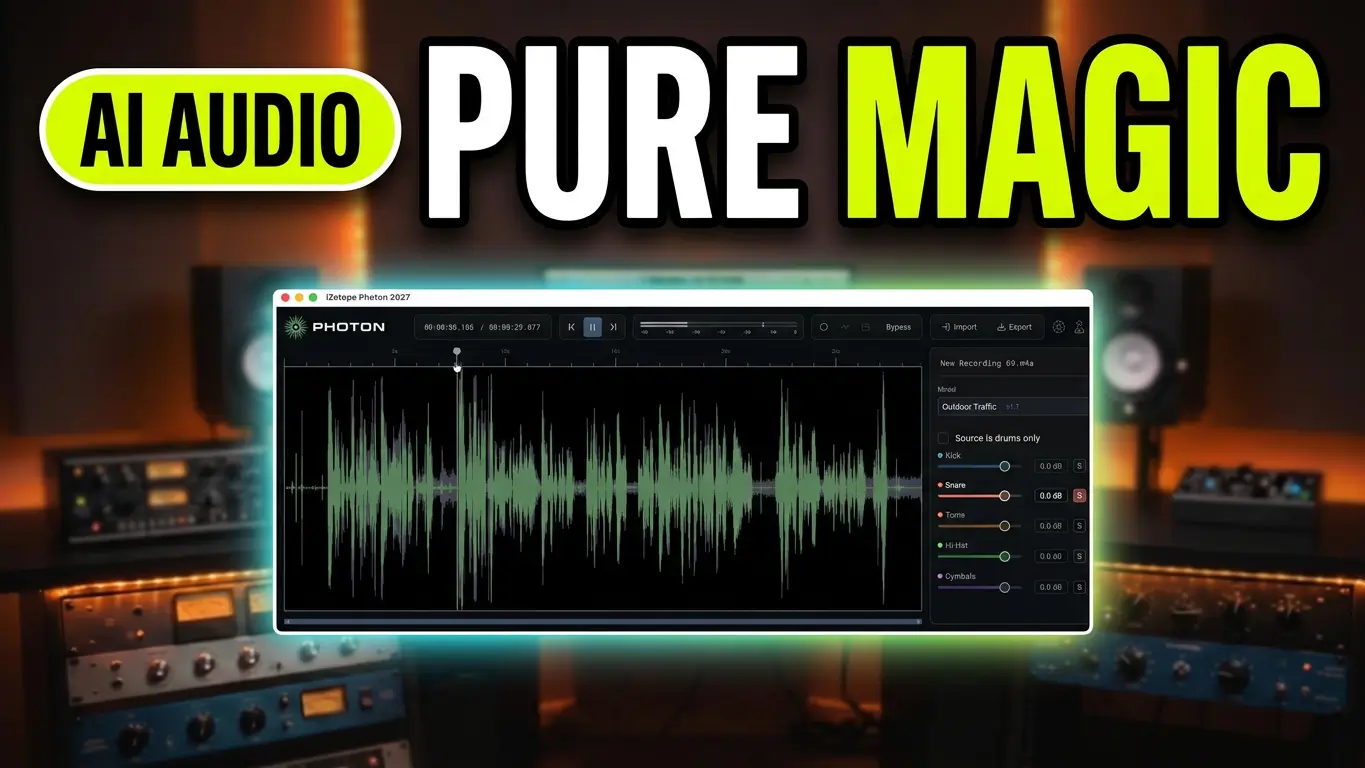
iZotope Photon is an AI-powered audio separation and restoration tool that does considerably more than just split songs into stems. It can separate finished music recordings into individual instruments, isolate voices, separate drum elements, and remove unwanted background noise from dialogue and other recordings.
In this video, I’m taking a look at Photon from iZotope, exploring its music separation features, drum separation, voice isolation, and audio cleanup tools.
Watch the video below to see iZotope Photon in action.
AI Music Stem Separation
One of the main features in iZotope Photon is Music 4 Stems. This allows you to take a finished stereo recording and separate it into four individual elements:
- Vocals
- Drums
- Bass
- Other instruments
There are two available models: the standard Music 4 Stems model for quicker processing and Music 4 Stems Ultra for sharper separation.
This is useful for remixing songs, creating backing tracks, adjusting individual elements in a mix, or extracting samples from existing recordings.
Separate Drums Into Five Individual Tracks
Photon also includes a dedicated five-stem drum separation model.
Instead of working with a single stereo drum recording, you can separate the performance into:
- Kick
- Snare
- Hi-hat
- Toms
- Cymbals
This gives you considerably more control over an existing drum recording. You can bring up the snare, reduce the cymbals, adjust the balance, or isolate individual drum sounds for sampling.
During my demonstration, I also explore how the visual waveform displays can help identify peaks and potential issues in individual drum elements.
Voice Separation and Isolation
Photon isn’t limited to music production.
The Voice 2 Stems model separates voices from music, making it useful for creating karaoke tracks, removing background music, or isolating dialogue.
There’s also a Voice Separator model that can separate up to six different speakers into individual stems. It can also isolate room tone and background noise.
This could be particularly useful for podcast recordings, interviews, video production, and other situations where multiple people are speaking.
AI Audio Restoration and Background Noise Removal
One of the more interesting parts of Photon is its Denoise section.
It includes several specialized models designed for different recording environments:
- Voice Restore: Improves speech clarity.
- Indoor Models: Help reduce room noise and echo.
- Outdoor Models: Target environmental sounds such as traffic and wind.
In the video, I test the outdoor noise reduction using a recording made inside my apartment with the window open. There was quite a bit of traffic and emergency vehicle noise outside, making it a good real-world test.
Photon was able to reduce much of that unwanted background noise.
You can also experiment with different microphone distances and room conditions, making this useful for improving dialogue recordings that weren’t captured in a professional recording environment.
Standalone Application and DAW Integration
There are two ways to use iZotope Photon.
The standalone application lets you drag in audio or video files, process them, and export the results. Supported audio export formats include WAV, FLAC, and MP3. When working with video, Photon can also export while preserving the original video specifications.
There’s also an ARA plugin that brings the processing engine directly into your DAW.
This makes Photon useful for both dedicated audio restoration work and music production workflows.
Is iZotope Photon Worth Checking Out?
What makes Photon interesting is the combination of music stem separation, individual drum separation, voice isolation, and audio restoration in one application.
If you’re producing music, creating samples, editing podcasts, working with dialogue, or trying to clean up recordings with unwanted background noise, there are several different applications for this software.
Check out the video above for the demonstrations and examples.
Product link: iZotope Photon
Links to iZotope Photon are affiliate links. If you make a purchase through these links, I may earn a commission at no additional cost to you. I only share products and software that I believe may be useful to my audience. Thank you for supporting my work!
Leave a Reply