
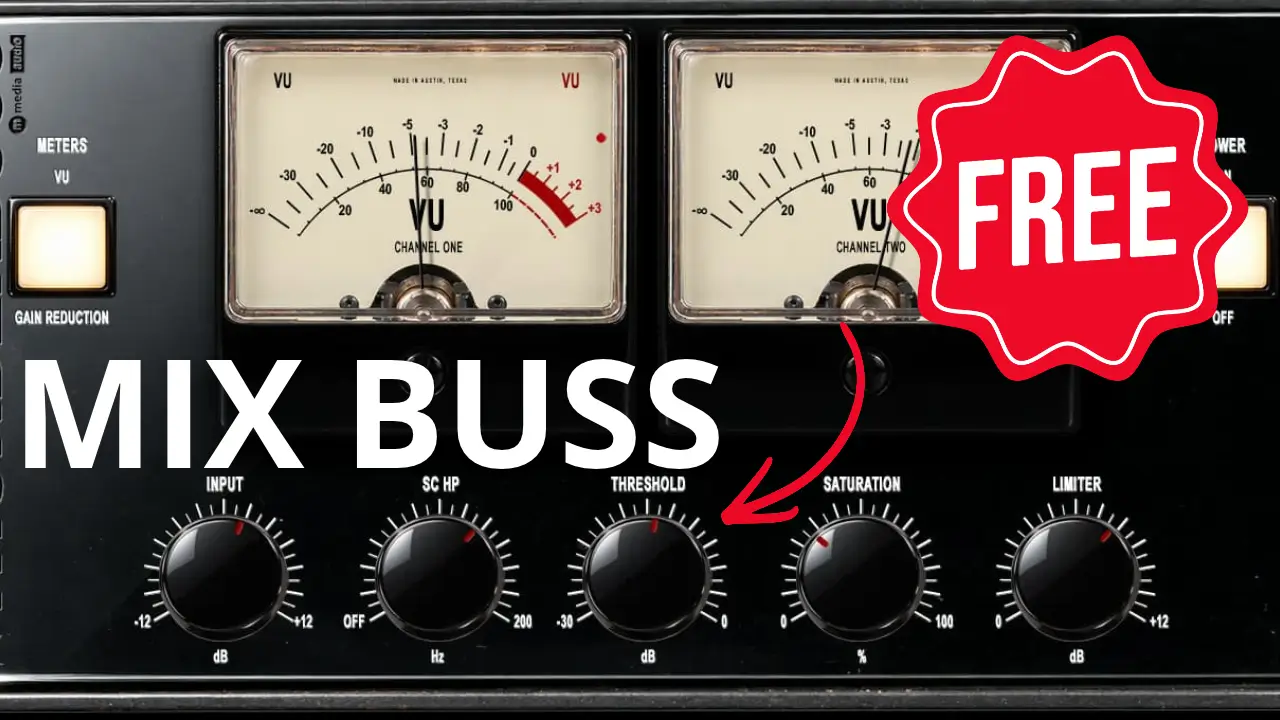
If you’re looking for a free plugin to simplify your mix bus processing, Thunderbuss Mix from M Media Audio combines compression, tube-style saturation, and limiting in a single plugin. I took it for a spin in Logic Pro to see how its controls work and how it sounds on a mix.
Three Mix Bus Tools in One Free Plugin
Thunderbuss Mix brings together three common mix bus processors: a vari-mu-style compressor, tube saturation, and a brickwall limiter. Instead of loading separate plugins for each task, you can work with all three from one interface.
The plugin has five main controls:
- Input: Adjusts the signal level entering the processing.
- Sidechain High-Pass Filter: Helps prevent low-frequency content, such as kick drums and bass, from driving the compressor too hard.
- Threshold: Controls when the compressor starts working, with automatic makeup gain helping maintain the output level.
- Saturation: Adds tube-style harmonic character to the signal.
- Limiter: Controls peaks using a limiter with lookahead processing and a soft clipper.
The idea is straightforward: shape the dynamics, add some harmonic character, and control the peaks without having to build a complicated processing chain.
Controlling Compression on the Mix Bus
One useful feature is the sidechain high-pass filter. Low-frequency energy can dominate a compressor’s detector, causing the entire mix to react too strongly to kick drums and bass. Filtering some of that low end from the detector can help create a more balanced response.
The Threshold control determines how much compression takes place, while automatic makeup gain helps compensate for level changes. As always, it’s worth comparing the processed and bypassed signals at similar listening levels so that increased loudness doesn’t automatically make one version seem better.
Adding Saturation and Limiting
Thunderbuss Mix also includes tube-style saturation for adding harmonic content and changing the character of a mix. The key is to listen carefully and level-match when comparing settings, especially when subtle changes in tone can affect your impression of the sound.
The built-in limiter provides another stage of peak control, using lookahead processing and a soft clipper. Its output ceiling is fixed at -0.3 dBFS, and the meter can switch between output peak level and gain reduction.
These features make the plugin worth exploring if you like having your main mix bus controls together in one place.
Testing Thunderbuss Mix in Logic Pro
For the video demonstration, I used a mix built with Apple Loops in Logic Pro. I went through the main controls, compared the plugin with bypass, and experimented with the limiter, saturation, and sidechain filtering.
The goal wasn’t to turn this into a full mixing tutorial. I wanted to get a feel for what Thunderbuss Mix offers, hear how the different stages affect the mix, and see whether its all-in-one approach makes sense in a real project.
You can watch the video to hear the comparisons and decide whether the plugin fits your own workflow.
Is Thunderbuss Mix Worth Trying?
If you want to experiment with mix bus compression, saturation, and limiting without buying three separate plugins, Thunderbuss Mix is worth checking out. It offers a convenient way to explore these processes from one interface, whether you’re working in Logic Pro or another compatible DAW.
As with any mix bus processor, the results depend on the material and your settings. A plugin doesn’t automatically make a mix better, but having these tools available in one place can make experimenting easier.
Get Thunderbuss Mix: Visit M Media Audio’s official website
Thunderbuss Mix is available as a free download, with VST3 support and Audio Units support on macOS.
If you try it, let me know what you think—and tell me which plugins you normally use on your mix bus.
Leave a Reply