
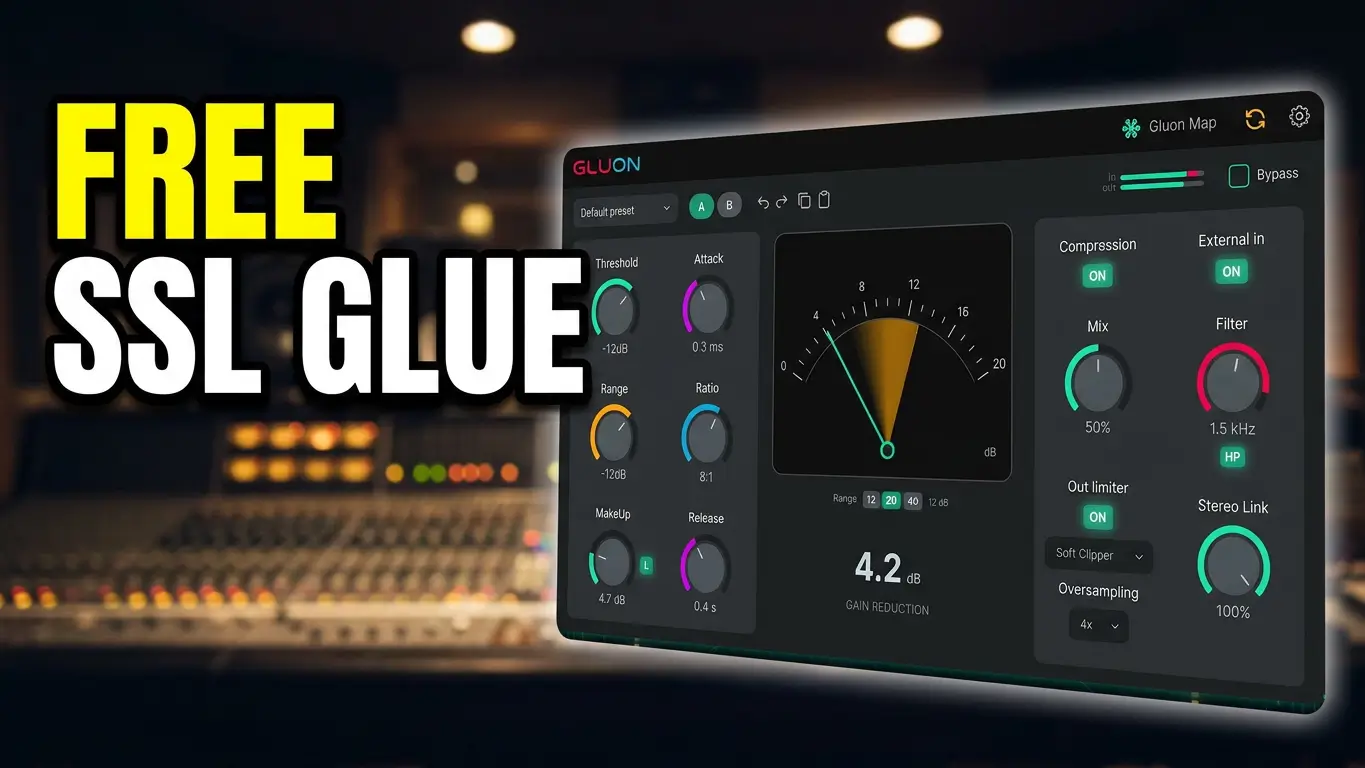
Gluon is a free bus compressor from nClear that combines classic British console-style compression with features such as Range, Makeup Learn, output clipping, oversampling, and Gluon Map for controlling multiple plugin instances from one interface.
If you’re looking for a free bus compressor plugin, Gluon is worth taking a look at. It provides the familiar controls you’d expect from a compressor, including threshold, attack, ratio, and release, but it also includes several features that make it useful beyond basic compression.
In this video, I put Gluon through a practical demonstration and look at the features that make it different from a typical compressor plugin.
What Is Gluon?
Gluon is designed as a classic British console-style bus compressor. The basic controls are straightforward: threshold, attack, ratio, and release give you control over how much and how quickly the compressor responds to your audio.
The Range control adds another level of control. Rather than changing the main compressor settings, Range allows you to limit how much compression can actually take place. This can be useful when you like the character of your compressor settings but want to keep the amount of gain reduction under control.
Gluon Includes An Independent Output Section
Gluon also includes an independent output section with a hard clipper, soft clipper, and limiter.
That means the plugin isn’t limited to compression. You can also use its output processing to shape and control the signal after the compression stage.
The plugin also provides oversampling up to 8x, which gives you additional options when working with the output processing.
Makeup Learn Helps With Level Matching
One of the more useful features in Gluon is Makeup Learn.
Pressing the L key allows Gluon to listen to the audio for approximately 10 seconds. It then compares the input signal with the compressed blend and calculates a fixed makeup-gain value.
Level matching is important when evaluating compression because a louder signal can easily sound better simply because it is louder. Makeup Learn provides a convenient way to bring the levels closer together while comparing different settings.
Gluon Map Is The Interesting Part
The feature that really caught my attention is Gluon Map.
If you have Gluon loaded on multiple tracks, Gluon Map allows you to view and control those instances from a single interface.
For example, you could have Gluon instances on your kick, snare, drum bus, bass, lead vocal, and backing vocals. Instead of opening each plugin window individually, Gluon Map provides a centralized view where you can access the different instances.
You can also make parameter changes and bypass instances from the Map interface.
This can be particularly useful when you’re working with several instances of Gluon across a project and want to make quick adjustments without constantly opening and closing plugin windows.
Other Gluon Features
Gluon also includes several standard workflow features, including:
- Internal sidechain
- Stereo link
- A/B comparison
- Preset and parameter controls
- Output processing
- Oversampling
In my demonstration, I use the A/B function to compare two settings, including one configuration with Range enabled and another without it.
I also use my own music during the demonstration so you can hear the plugin in an actual production context rather than only looking at meters and controls.
Is Gluon Worth Checking Out?
If you’re interested in free compressor plugins, Gluon offers a combination of traditional bus-compression controls and some less-common workflow features.
The compressor itself is straightforward to understand, while features like Makeup Learn and Gluon Map give you additional ways to work with compression and multiple plugin instances.
And because Gluon is free, there’s little reason not to experiment with it if you’re building a collection of compressor plugins or simply looking for another option for your drum bus, mix bus, vocals, bass, or other tracks.
Watch the video above for a demonstration of Gluon and its main features, including the Gluon Map multi-instance control system.


Leave a Reply