
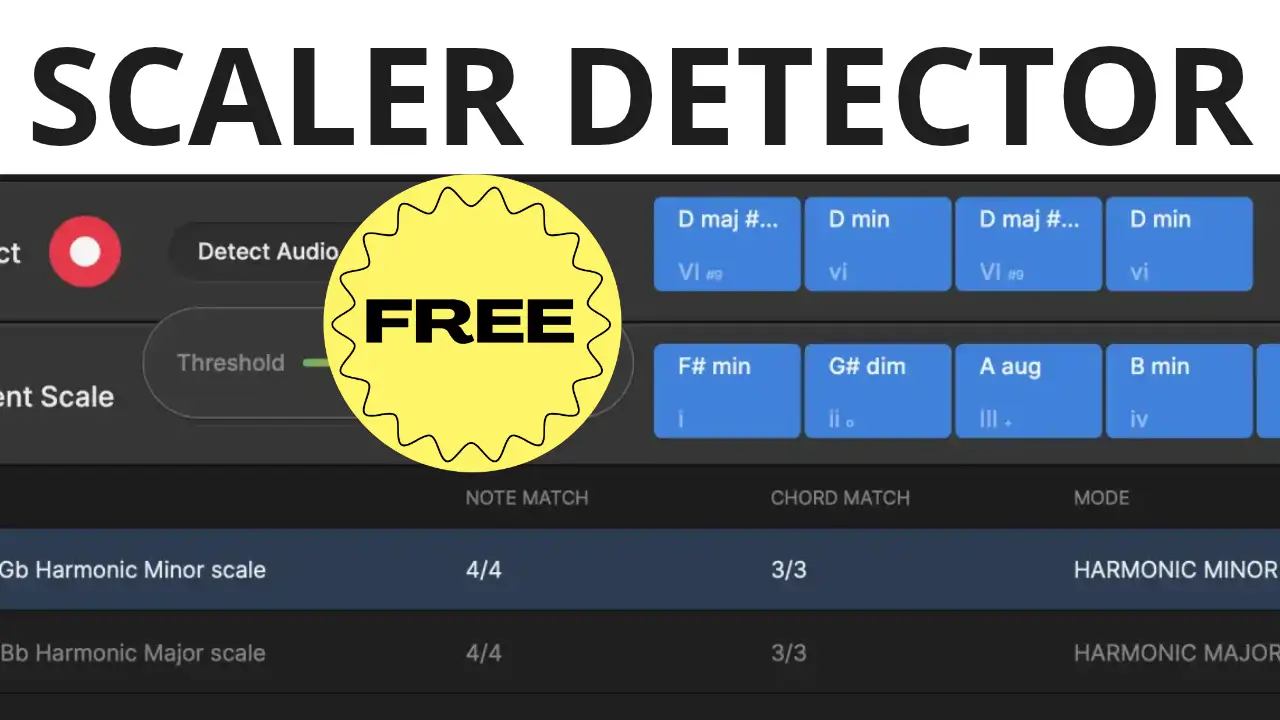
If you have ever found a sample you love but struggled to figure out its key or which chords would work with it, Scaler Detector is worth checking out. This music theory tool analyzes audio and MIDI to identify keys, scales, and chord progressions, giving you useful musical information to work with when producing tracks or writing songs.
Scaler Detector is available as a plugin and a standalone application. It can help you understand unfamiliar samples, explore compatible chords, develop melodies, and experiment with harmonic ideas without having to work everything out by ear.
At the time of recording, Scaler Detector was available for free for a limited time through Plugin Boutique.
What Is Scaler Detector?
Scaler Detector is a music analysis tool designed to identify the musical information contained in audio and MIDI. Instead of guessing which notes fit a sample, you can use the plugin to detect its key, scale, and chord progression.
This can be particularly useful when working with loops from sample libraries, audio recordings, MIDI files, or parts of an existing arrangement. Knowing the underlying harmony gives you a starting point for writing complementary melodies, adding instruments, or building a new chord progression around an existing musical idea.
You can use Scaler Detector inside your DAW or run it as a standalone application, depending on your workflow.
Detect Keys, Scales, and Chord Progressions
One of the main uses for Scaler Detector is analyzing audio that you want to incorporate into a production.
In the video demonstration, I load a 303 synth loop and let Scaler Detector analyze it. The plugin identifies the musical key and chords, then displays the scale and compatible notes.
That information makes it easier to experiment with melodies that fit the loop. Rather than randomly trying notes on a keyboard, you have a clearer idea of which notes belong to the detected scale and which chords might work with the sample.
This is useful for electronic music production, hip-hop beats, remixing, songwriting, and other workflows built around existing loops.
Explore Chords and Alternative Progressions
Identifying the original chords is only part of the process. Scaler Detector can also help you explore compatible chords and alternative progressions.
If you are building a track around a sample, you can use this information to experiment with different harmonic directions. You might want to add a new section, create a bridge, or develop a chord progression that complements the original loop.
The goal is not to replace musical creativity. It is to give you information that helps you make more informed musical decisions and discover possibilities you might otherwise overlook.
Play Chords With One Finger
Scaler Detector also offers chord triggering, allowing you to play detected chords using a single finger on a MIDI controller.
This makes it easier to audition progressions without having to play every note in each chord manually. It can be useful when sketching arrangements, experimenting with harmonic movement, or learning how different chords sound together.
Voice Grouping is another feature that helps create smoother, more natural-sounding transitions between chords. This can be useful when you want a progression to flow more naturally rather than having every chord jump abruptly between different voicings.
Use Scaler Detector for Music Theory and Ear Training
Scaler Detector is also useful as a learning tool. By playing along with music and observing the detected scales and chords, you can develop a better understanding of how notes and harmonies relate to one another.
For producers who work primarily by ear, this provides a practical way to connect what they hear with the underlying music theory. You can experiment with melodies, compare chord choices, and gradually become more familiar with common harmonic relationships.
Get Scaler Detector Free on Plugin Boutique
At the time of recording, Scaler Detector was available as a free download through Plugin Boutique for a limited time. December 7 was mentioned as the expected end date, although promotional offers can change or be extended.
Check the product page for the current offer, supported formats, and installation details.
Affiliate disclosure: This post contains affiliate links. If you make a purchase through these links, I may earn a commission at no additional cost to you.
Leave a Reply