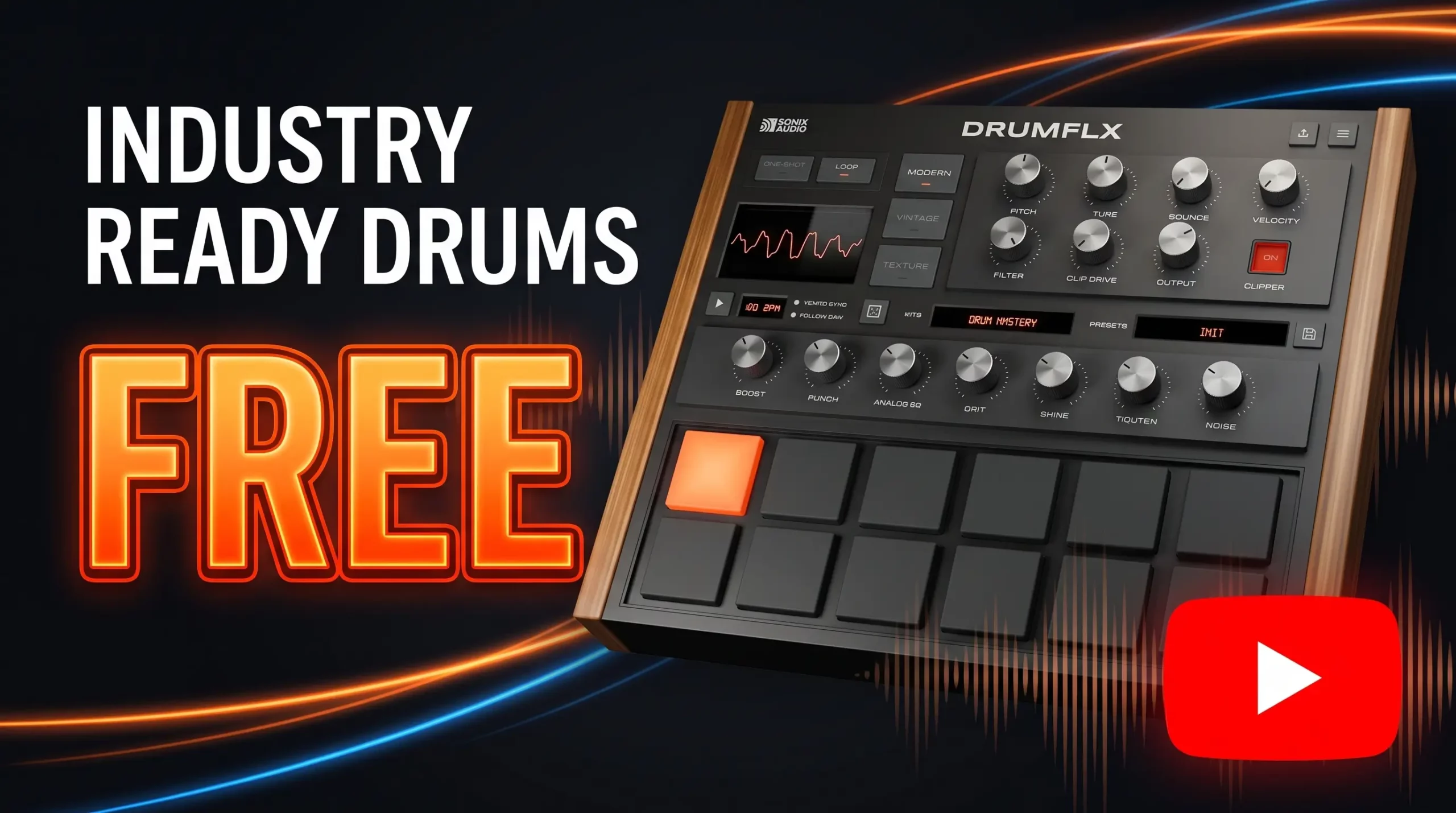
DRUMFLX from SoniX Audio is a free drum plugin with multiple drum kits, three different sound modes, one-shot and loop playback, effects, and audio and MIDI export.
What caught my attention isn’t just that DRUMFLX is free. It’s the way you can take what you’re doing inside the plugin and move it directly into your DAW. You can export individual drum stems, a stereo mix, or MIDI, giving you more flexibility once you start working on the actual track.
I take a quick look at DRUMFLX in the video above, but here’s what you’ll find inside the plugin.
Related Plugins
- Free Triaz Player Drum Machine By Wave Alchemy
- Free 70’s Acoustic Drum Kit That Elevates Your Music Production
Three Different Drum Modes
DRUMFLX is built around three main modes: Modern, Vintage, and Texture.
Modern is the cleanest and most forward of the three. It includes controls such as Boost and Punch for shaping the overall sound.
Vintage takes things in a different direction with Drive, warmth, grit, and noise controls. It’s designed to give the drums a more colored character.
Texture moves away from the more traditional mix controls and adds effects such as reample, instability, delay, and gated reverb. These can create more unusual movement and character in the drums.
So even though you’re using the same plugin, the three modes can produce noticeably different results.
One-Shot and Loop Modes
DRUMFLX gives you two basic ways to work with the drums.
One Shot mode lets you play individual drum sounds from a keyboard or MIDI controller and build your own patterns inside your DAW.
Loop mode takes a faster approach, letting you work with pre-made drum loops when you want to get a groove going without programming every hit yourself.
Multiple Drum Kits
There are also multiple kits to explore.
Modern includes six kits, Texture has four kits, and Vintage has another six kits.
There are also presets and a randomizer for quickly getting to different combinations. One of the presets shown in the video is called Weird Trap.
The Export Feature
This is probably the feature I found most interesting.
DRUMFLX can export the individual drum sounds as separate stems, which means you can drag the different parts of the drum performance directly into your DAW.
You can also export the MIDI, giving you the ability to continue editing the drum performance after you’ve moved it