
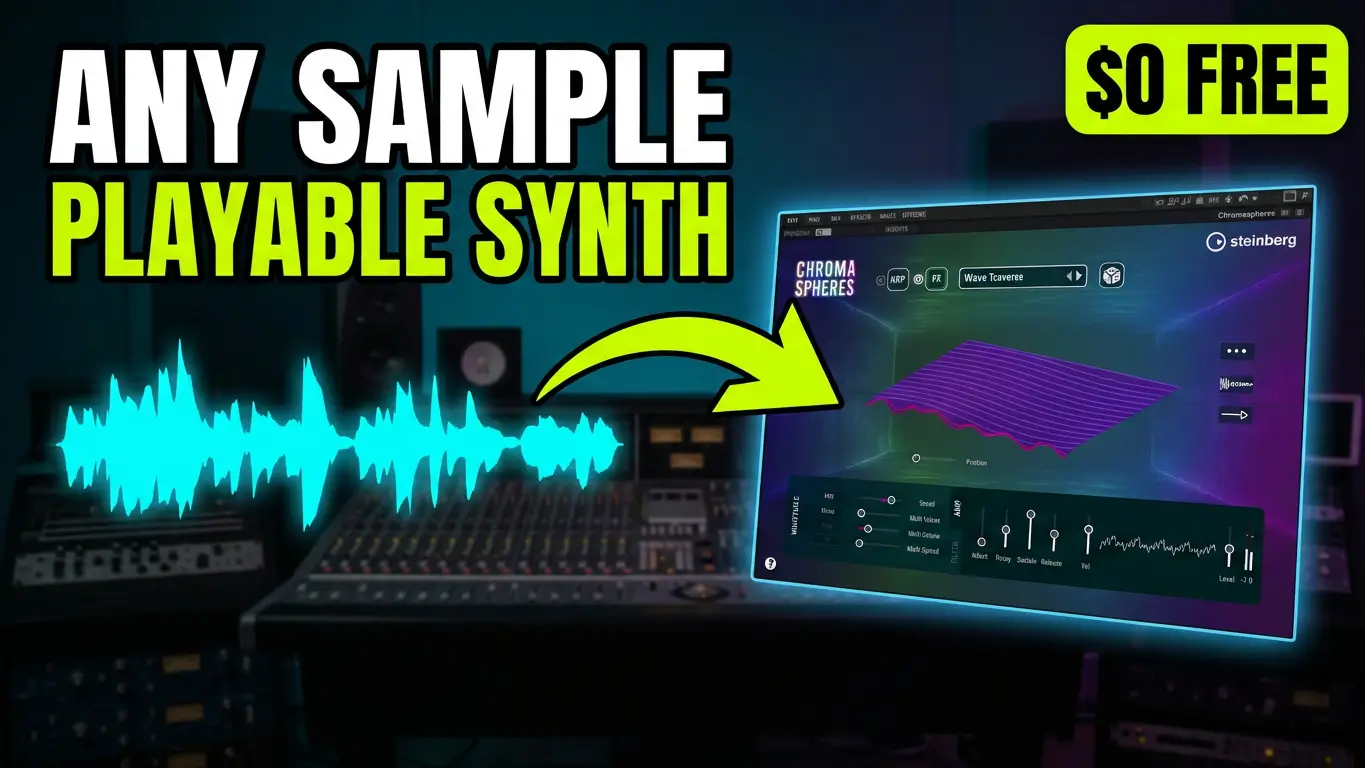
Steinberg Chromaspheres takes a different approach to virtual instruments. Instead of simply browsing through presets and playing sounds on your keyboard, this free instrument lets you import your own audio samples and transform them into entirely new playable sounds.
Whether you’re working with vocal recordings, drum samples, or other audio material, Chromaspheres gives you a collection of sound engines and processing tools to experiment with.
Watch the video below to see how it works.
What Is Steinberg Chromaspheres?
Steinberg Chromaspheres is a free virtual instrument built around sample transformation and experimental sound design.
It features four different sound engines and 30 sound modules, providing a range of ways to manipulate audio and create everything from atmospheric textures to unusual synthesized sounds.
There are also factory presets and samples included, so you can start experimenting without importing your own recordings. However, the ability to load your own audio is where things get particularly interesting.
Rather than treating samples as something you simply play back, Chromaspheres allows you to transform them into new instruments.
Exploring the Built-In Sounds and Effects
Chromaspheres includes a collection of preset samples and effects that demonstrate some of its sound-shaping possibilities.
You can experiment with reverse-style sounds, playback speed, performance settings, pitch shifting, and scale adjustments. These controls give you different ways to manipulate the source material and change how it behaves.
The instrument also includes different effects and sound modules, making it possible to take the same original sample and create several different variations.
Importing Your Own Vocal Samples
One of the first things I wanted to try was loading my own audio into Chromaspheres.
I started by importing an entire vocal track from one of my original songs. The results were interesting because the instrument took something that was already a recognizable vocal recording and transformed it into something completely different.
I also experimented with individual vocal samples and pitch-based sounds. Even relatively simple recordings can produce some unusual results when processed through the different sound engines.
This is an interesting approach to creating new textures from audio you already have in your music production projects.
Turning Drum Samples Into New Sounds
Next, I loaded a kick drum sample into Chromaspheres.
This demonstrates that the instrument isn’t limited to vocals or melodic recordings. You can experiment with percussive sounds and use them as source material for entirely different textures.
The randomizer is another useful feature. It lets you generate different combinations of settings, including effects and other processing options. This makes it easy to discover sounds you might not have created manually.
You can spend quite a bit of time experimenting with different samples and combinations.
Exploring the Grain and LoFi Samplers
Chromaspheres also includes additional sound modules, including Simple Grain and LoFi Sampler.
These provide different approaches to processing your source audio and expanding the range of sounds you can create.
The granular-style approach is particularly interesting for transforming recordings into evolving textures, while the LoFi Sampler provides another way to change the character of your source material.
Browsing the Factory Presets
If you don’t want to start with your own recordings, Chromaspheres also includes a collection of patches you can browse.
You can search through different categories, including vocal sounds, synth singing, and adlibs.
These presets provide a starting point for exploring the instrument and understanding the types of sounds it can produce.
Final Thoughts
Steinberg Chromaspheres is an interesting addition to the world of free virtual instruments because it encourages a different way of approaching sound creation.
The ability to import your own vocals, drum recordings, and other samples opens up possibilities beyond simply playing factory presets.
If you’re interested in experimental sound design, atmospheric textures, granular processing, or finding new ways to use existing audio recordings, Chromaspheres is worth exploring.
You can find more information and download Steinberg Chromaspheres from the official website:

Leave a Reply