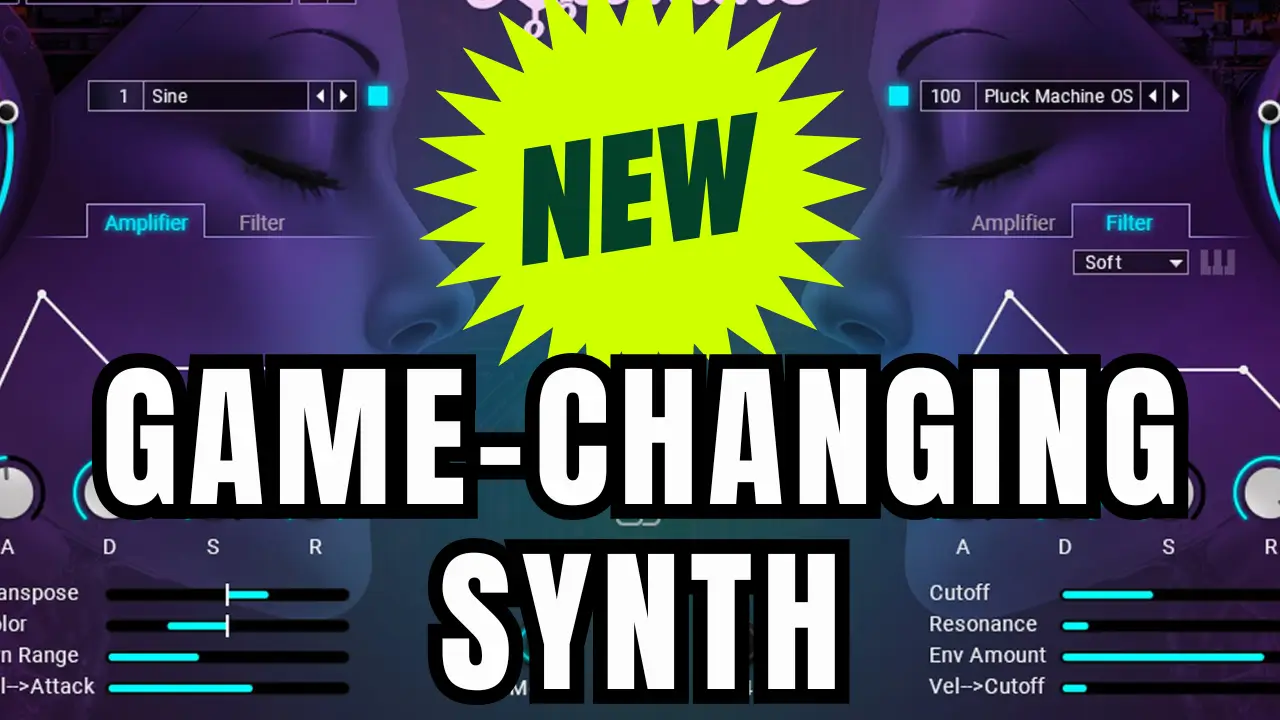
Hey everyone, Greg here. If you’re a beatmaker or producer diving into pop and EDM, I’ve got something that’s going to supercharge your workflow. Today, I’m breaking down Native Instruments Dopamine – a synth instrument that’s all about delivering massive drops and polished sounds without the endless tweaking. Native Instruments sent me a copy to test out, and after spending some time jamming with it, I can say it’s a fast lane to chart-ready tracks. Let’s dive in.
Related Posts:
- Google AI Quick Look Studio: Songwriting and Music Production
- iZotope Aurora Reverb Plugin Quick Look Review
- 88% Off UAD NI Bundle: The Ultimate Deal on Moog Minimoog, Analog Synths, and Pro Compressors
Why Dopamine Stands Out in the World of Pop Synths and EDM Synthesizers
As someone who’s always hunting for tools that streamline production, Dopamine caught my eye right away. Built exclusively for Native Instruments by Big Wave Audio, this pop and EDM synth instrument is designed for producers who want big results with minimal effort. It’s packed with over 200 presets spanning pop, EDM, trap, and more, so whether you’re crafting plucks, leads, pads, or basses, you’ll find something that fits your vibe.
What really sets it apart? The real-time modifier keys. These let you trigger effects like side-chain pumping, lo-fi grit, and tape stops straight from your keyboard – no mouse required. I found myself creating wild builds and drops in seconds during my session. Plus, the built-in step sequencer and arpeggiator make it easy to generate rhythmic and melodic sequences on the fly.
Key Features That Make Dopamine a Beatmaker’s Dream
From my hands-on experience in the demo, here’s what blew me away about Dopamine’s core features. I organized them into bullet points for quick scanning – because who has time for walls of text when you’re in producer mode?
- Real-Time Modifier Keys for Instant Effects: Hit specific keys to activate side-chain, lo-fi, or tape stop effects. I love how you can customize these, create patterns with the step sequencer, and even drag the MIDI data right into your DAW for further editing. It’s perfect for adding that festival-ready pump to your EDM beats.
- Over 200 Genre-Tagged Presets: Filter by style – think EDM plucks, pop pads, trap basses – and you’re set. Each preset comes with its own custom effects chain, including amp and filter envelopes for quick tweaks. I scrolled through them during my test and landed on some leads that sounded straight out of a hit record.
- Drag-and-Drop MIDI Library: Chord progressions, melodies, and effect patterns are ready to pull into your DAW. I dragged a few pop chord loops into Ableton and layered them over a beat – boom, instant track foundation. This alone saves hours in the sketching phase.
- Morph Pad and Mod Wheel Blending: Use the mod wheel or on-screen pad to blend between two sound variations. In my playthrough, I morphed a clean pluck into a gritty version mid-phrase, adding that expressive edge to my pop synth lines.
- Arpeggiator and Step Sequencer Magic: Turn on the arp for evolving patterns, or sequence your modifiers for automated craziness. I experimented with a preset that had built-in patterns, and it turned a simple bassline into a full-on drop.
- Low-End Control and Glide Modes: Dial in the bass knob for that sub-rattling depth, switch to mono for sharp leads, or glide for smooth transitions. The -24 semitone shift key is a game-changer for quick octave drops in EDM production.
One thing I noticed – it takes a bit to memorize all the key switches, but once you do, it’s intuitive. I spent my first session just exploring the effects page, adding reverb or delay and watching how they interact with the morph controls.
My First-Look Demo: Hearing Dopamine in Action
In the video above, I walk you through the interface step by step. We start with the preset browser – easy searching by genre or sound type – then jump into tweaking volumes, linking left/right channels, and firing up those modifiers. I demo a pump effect pattern, arp some wild sequences, and drag MIDI chords into my DAW for a quick play-along.
The sounds? Punchy and professional. That minus-24 bass key gave me instant low-end growl, and the lo-fi modifier added vintage tape warmth without plugins. If you’re into pop production or EDM synth experimentation, this is the kind of tool that sparks ideas fast.
Is Dopamine Worth It for Producers and Songwriters?
Short answer: Absolutely, especially if you’re tired of bloated plugins that slow you down. At its core, Dopamine is about speed and creativity – getting you from blank project to bouncing track without the hassle. It’s not trying to be a massive workstation; it’s your secret weapon for hooks and drops.
If you’re just starting out as a beatmaker, the drag-and-drop elements make it beginner-friendly. Seasoned producers will geek out over the deep customization in the effects chains and sequencer.
Ready to try it? Head over to the Dopamine product page or check out Native Instruments deals for the best offers.
The links to Native Instruments are affiliate links, meaning I may earn a small commission if you choose to purchase through them. This helps support the channel at no extra cost to you. I only recommend products I personally use or believe bring real value to producers and songwriters.
What do you think – have you tried Dopamine yet? Drop a comment below with your favorite effect or preset. If this review helped, hit like, subscribe for more synth breakdowns, and I’ll catch you in the next one. Keep creating!