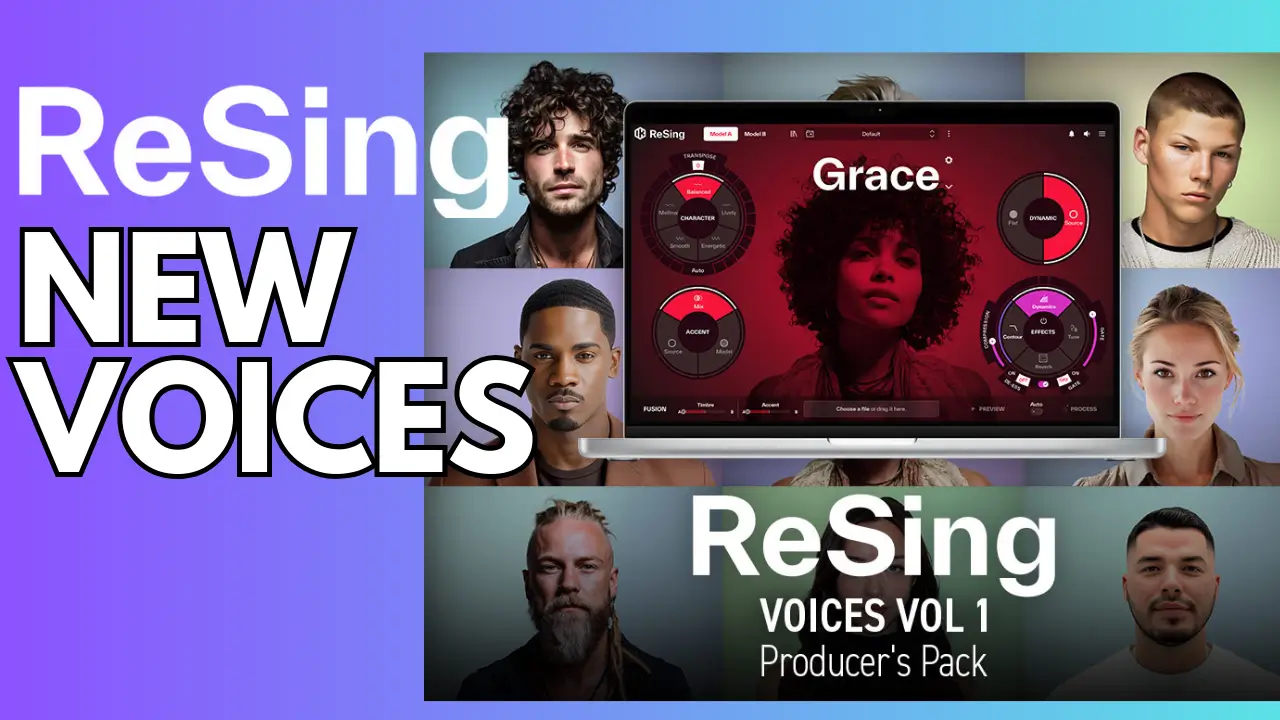
As a music producer and songwriter, I’ve always chased that elusive “pro” vocal sound without breaking the bank on session singers. Enter ReSing by IK Multimedia – an AI-powered vocal transformation tool that’s equal parts wizardry and workflow game-changer. In my latest video above, I dive deep into hands-on demos, from swapping my narration voice to a female singer’s tone to converting an electric guitar riff into full-blown vocals. It’s wild stuff, and today, I’m breaking it all down in this ReSing review: what it does, how it performs, and whether it’s worth adding to your production arsenal.
Related Posts:
- Blockchain Ultra Review – 87 FX Modules That Will Transform Your Music Production
- Revolutionary AI Vocal Plugins: Synthesizer V + VocoFlex & Mic Drop
- VocaFlex Revolutionary Vocal Plugin AI Voice Changer Voice Morphing
What Is ReSing? A Quick Overview of This AI Vocal Changer
ReSing is IK Multimedia’s innovative voice conversion software designed for producers, songwriters, and anyone tired of placeholder vocals derailing their tracks. At its core, it’s an offline AI vocal replacer that uses advanced machine learning to analyze and transform audio inputs – whether that’s your scratchy demo, a spoken narration, or even non-vocal elements like guitars and synths.
There are two main flavors: the standard ReSing for getting started, and ReSing Max for power users with expanded voice libraries and custom modeling capabilities. I got my hands on ReSing Max via Plugin Boutique, and it’s built for desktop use – standalone app or plugin in your DAW like Logic Pro. No cloud processing means full privacy and speed on your machine, though it shines brightest in standalone mode for batch workflows.
Key specs from the product page:
- Library Size: Over 25 artist voices in Max, ethically sourced with artist compensation.
- Compatibility: Mac/Windows, VST/AU/AAX/Standalone.
- Processing: Offline AI with transpose, accent blending, and effects chain.
If you’re searching for the best AI vocal changer in 2025, ReSing stands out for its natural timbre matching and instrument-to-voice conversions that feel less gimmicky than competitors.
Standout Features: What Makes ReSing a Production Powerhouse
I spent hours tinkering with ReSing, and these features hooked me right away. They’re not just bells and whistles – they solve real pain points in vocal production.
- Vocal Replacement with Pro Artist Voices: Drop in any audio, select from breathy, bright, or narrative styles, and let AI swap it for a polished singer. I tested ranges carefully (pro tip: match the input vocal’s pitch to the model’s sweet spot to avoid artifacts).
- Instrument-to-Voice Magic: This blew my mind – I fed it an electric guitar riff recorded in Amplitube, and out came a sultry female vocal singing the melody. Even tried synths to chiptune voices and guitars to acoustics. Transpose up/down 12 semitones without losing vibe.
- Accent and Style Blending: Mix two models (A and B) for hybrid accents – subtle on some clips, transformative on others. Add energy sliders for smooth, mellow, lively, or energetic outputs.
- Built-in Effects Suite: No need for extra plugins initially. Includes EQ (add body/air), compression, reverb, noise gate, and a light autotune. I layered it with Waves CLA Vocals for even punchier results.
- Custom Voice Modeling: In ReSing Max, train your own banks locally (up to 25 sessions; upgrade for unlimited). Import RVC models from online communities for endless tweaks. Note: Mac users, it prefers NVIDIA GPUs on Windows for faster training – mine took a bit longer.
- Workflow Smarts: Preview mode for quick auditions (though I wished for longer clips), auto-processing toggle, and demo files in your Documents folder for fast voice scouting.
These tools make ReSing ideal for genres like pop, rock, and EDM, where vocal flexibility can make or break a track.
My Hands-On Demos: From Narration Swaps to Guitar Vocals
Nothing beats seeing ReSing in action, so let’s relive some of my experiments from the video. I started simple: my own narration voice, processed through “Clara” – a narrative model with a slight accent. The result? A seamless female readout that narrated the entire video. It captured inflection weirdly well, though occasional phrasing quirks popped up on belted lines.
Next, vocal swaps. I loaded a high female demo (“Where are you going down?”) and tested male models like “Chip.” Pitching down an octave gave a gritty falsetto vibe; upping it risked out-of-range warble. Blending accents from a UK-tinged model added flavor without overdoing it – perfect for character in songwriting.
The real fun? Non-vocal inputs. That guitar riff became Bella’s breathy hooks, then a chip-tune synth experiment yielded retro-game vocals. Processing a 4-minute spoken-word clip took about 3-4 minutes on my Mac, outputting clean files (filenames are a nightmare – use a renamer tool!).
In Logic, the plugin version felt clunky for full tracks – still requires dragging files and batch processing – but standalone mode streamlined everything. I processed chorus sections first to nail the voice before committing to verses, saving tons of time.
One frustration: No comprehensive manual (IK’s site is light on docs), and previews are snippet-only. File bloat is real too – organize into folders early.
Pros and Cons: Is ReSing Worth the Investment?
After a full session, here’s my balanced take:
Pros:
- Ultra-natural transformations that rival hiring talent.
- Offline processing keeps things private and fast.
- Versatile for vocals, instruments, and effects – a one-stop vocal production hub.
- Ethical voice sourcing and community RVC imports for longevity.
Cons:
- Learning curve without a manual; trial-and-error on ranges and models.
- Not real-time – batch processing suits demos, not live tracking.
- Mac training slower without NVIDIA; Windows users have an edge.
- Crazy file names and space hogs if you’re not organized.
Priced accessibly (check links below), ReSing Max edges out free alternatives like basic RVC tools for its polished integration.
Final Thoughts: ReSing Levels Up My Studio Game
ReSing isn’t perfect, but it’s a revelation for turning rough ideas into radio-ready vocals without the hassle. If you’re a producer juggling demos or a songwriter chasing unique tones, this AI vocal transformer deserves a spot in your toolkit. I recommend starting with ReSing for basics, then upgrading to Max for modeling muscle.
The links to “Plugin Boutique” are affiliate links, meaning I may earn a small commission if you choose to purchase through them. This helps support the channel at no extra cost to you. I only recommend products I personally use or believe bring real value to producers and songwriters.
Grab ReSing Max: https://gregkocis.com/8soh
ReSing: https://gregkocis.com/ozs8
What’s your take – have you tried AI voice changers? Drop a comment below, and subscribe for more production deep dives. Next up: vocal chaining workflows in my playlist.
Related Posts: